

THE MULTI-AGENT
workspace
Delegate, don't micromanage. INZONE orchestrates fleets of Claude agents — pipelines, worktrees, wiki, voice, plugins, and built-in diff reviews — all in one window.
Core Capabilities
Built for agent work.
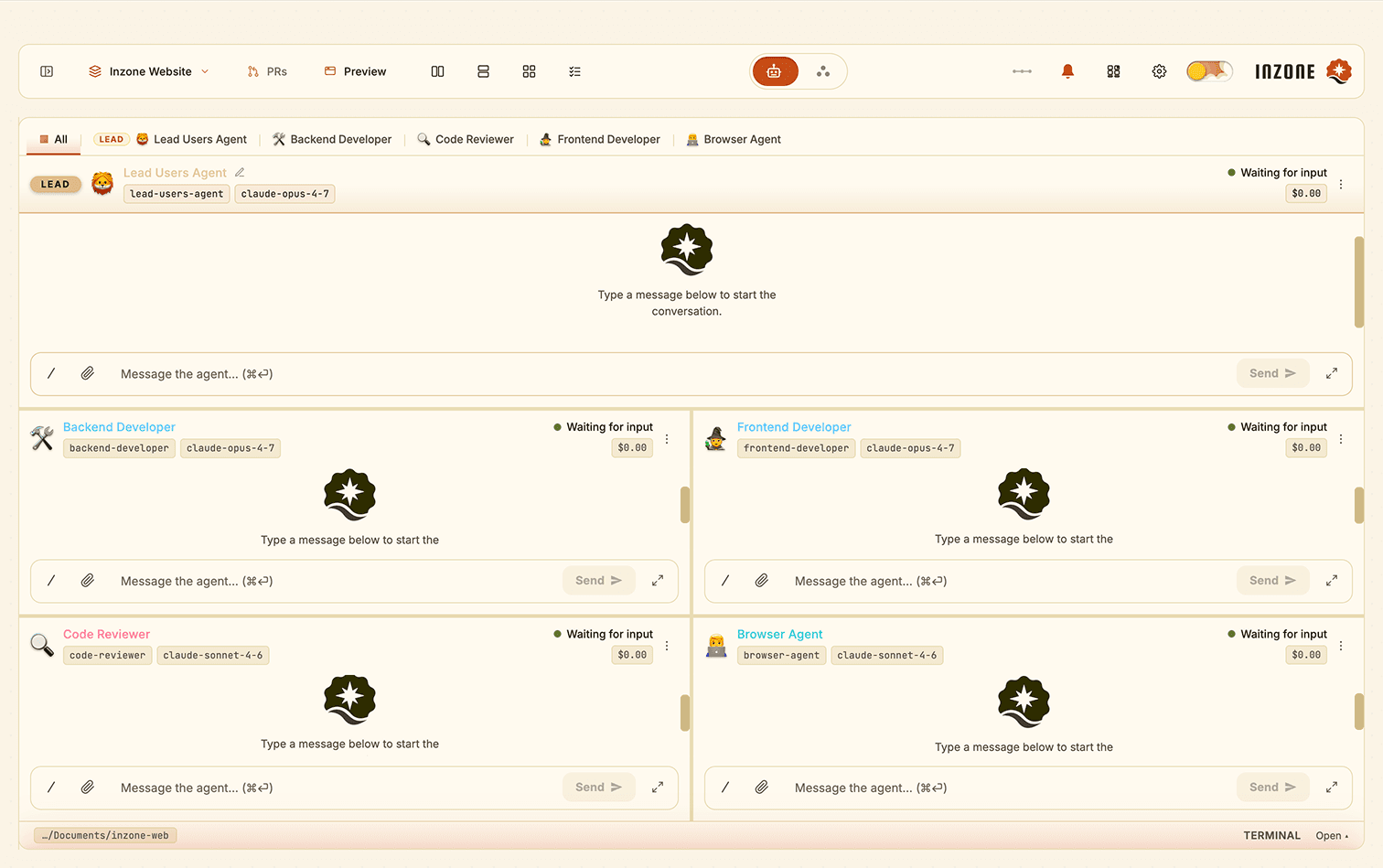
Several Agents. One Window.
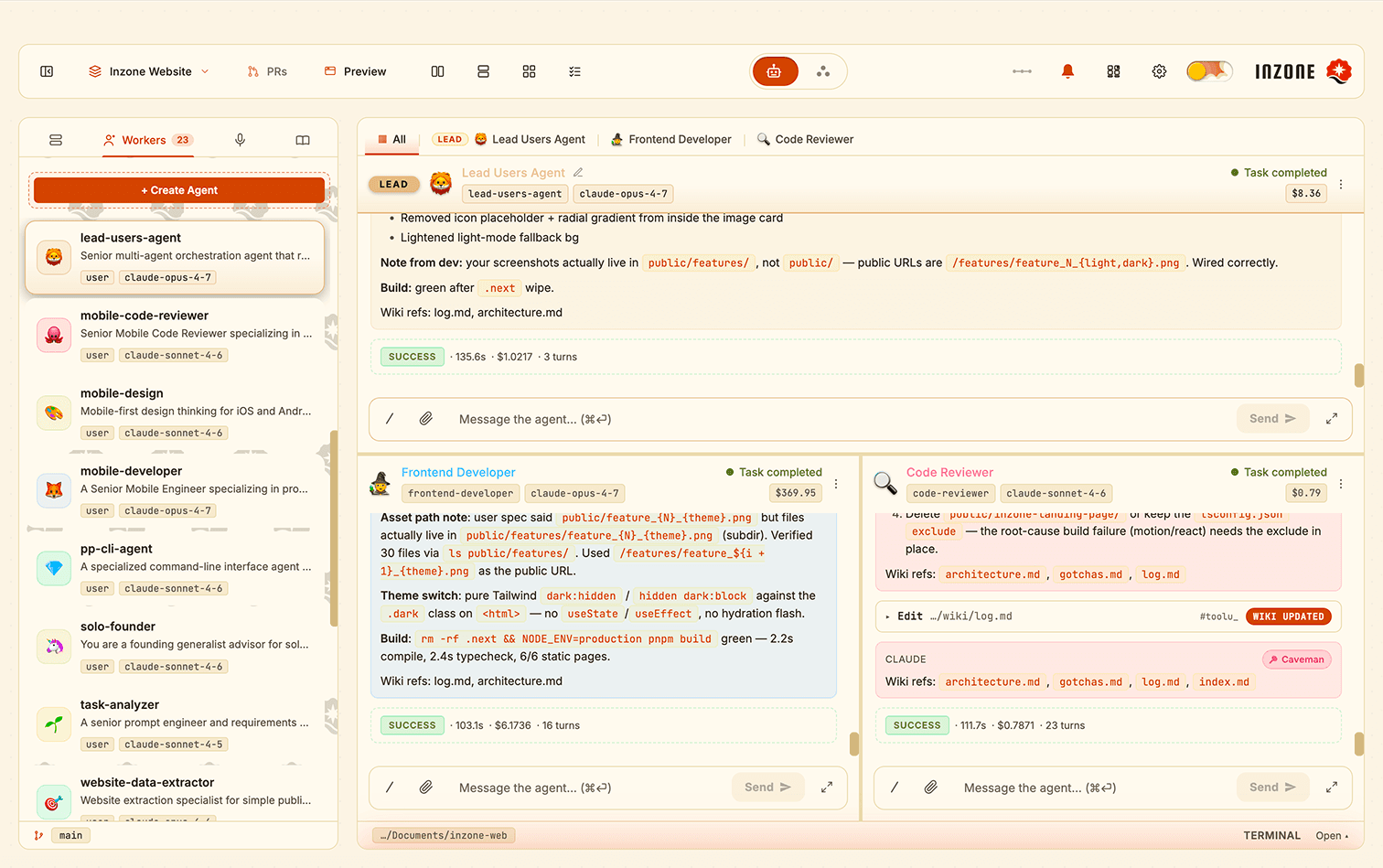
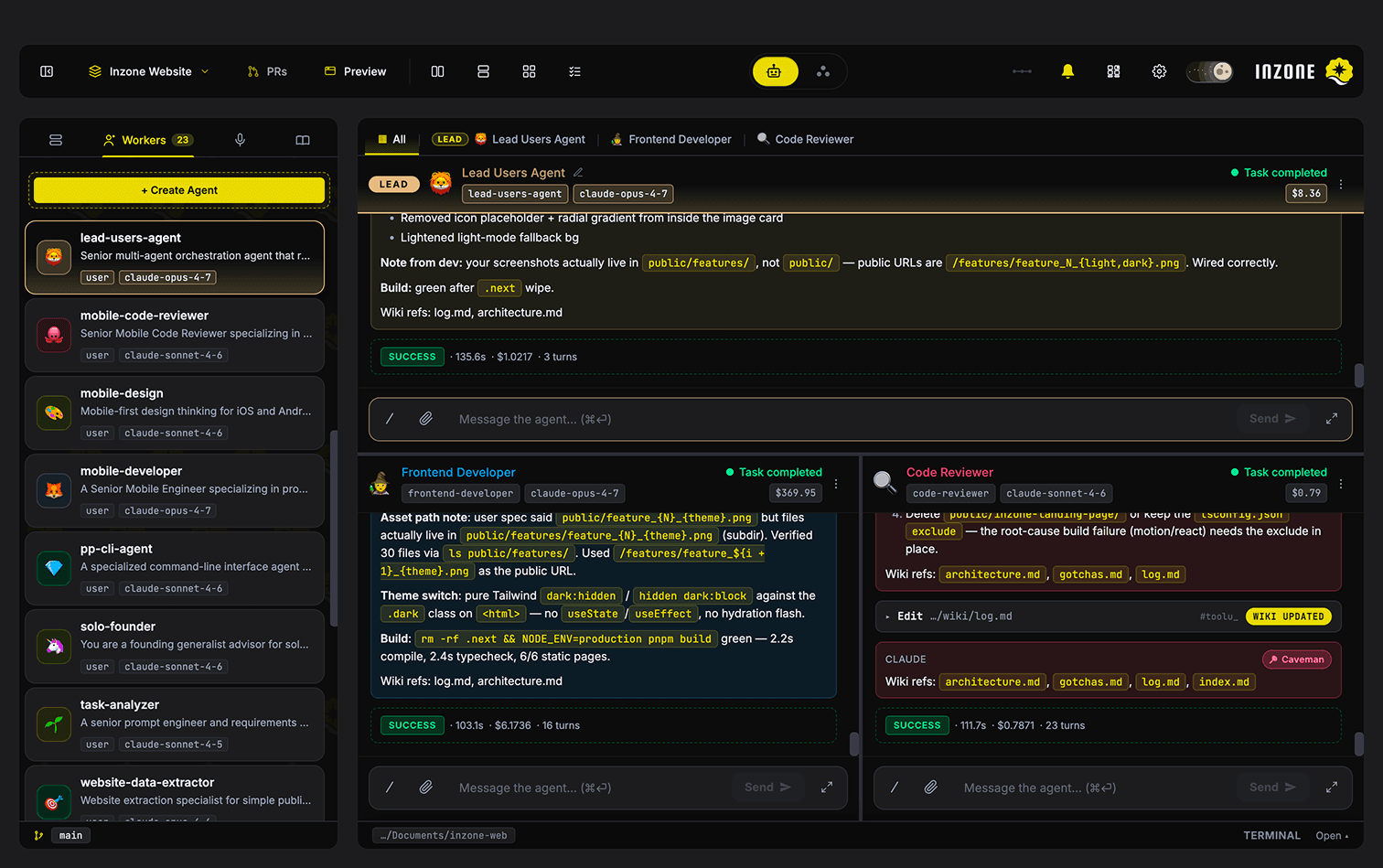
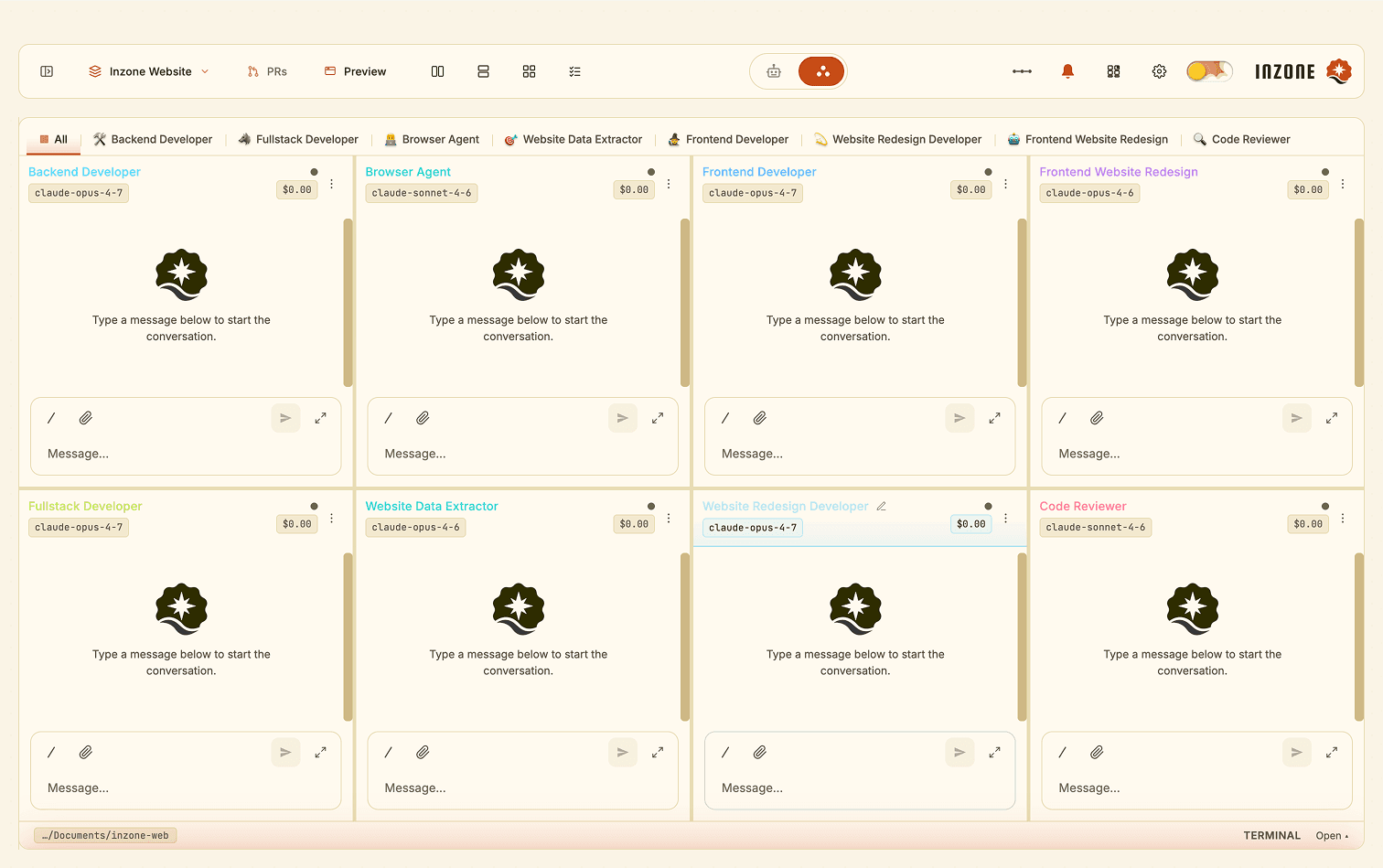
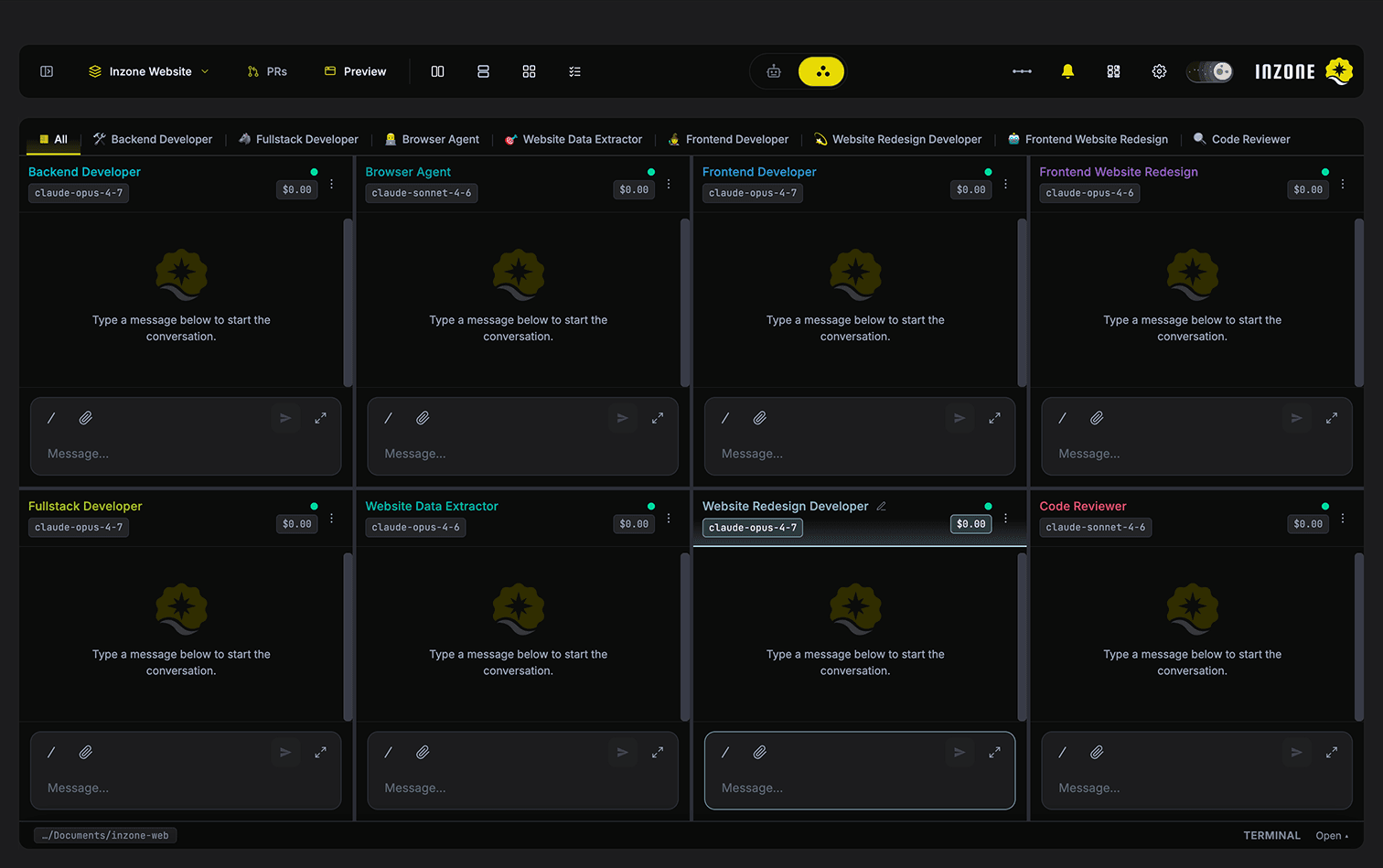
Each pane is its own conversation and SDK session. Run Claude, Codex, or any CLI agent side-by-side. Zero context switching, zero juggling tabs.
One Orchestrator. Many Sub-Agents.
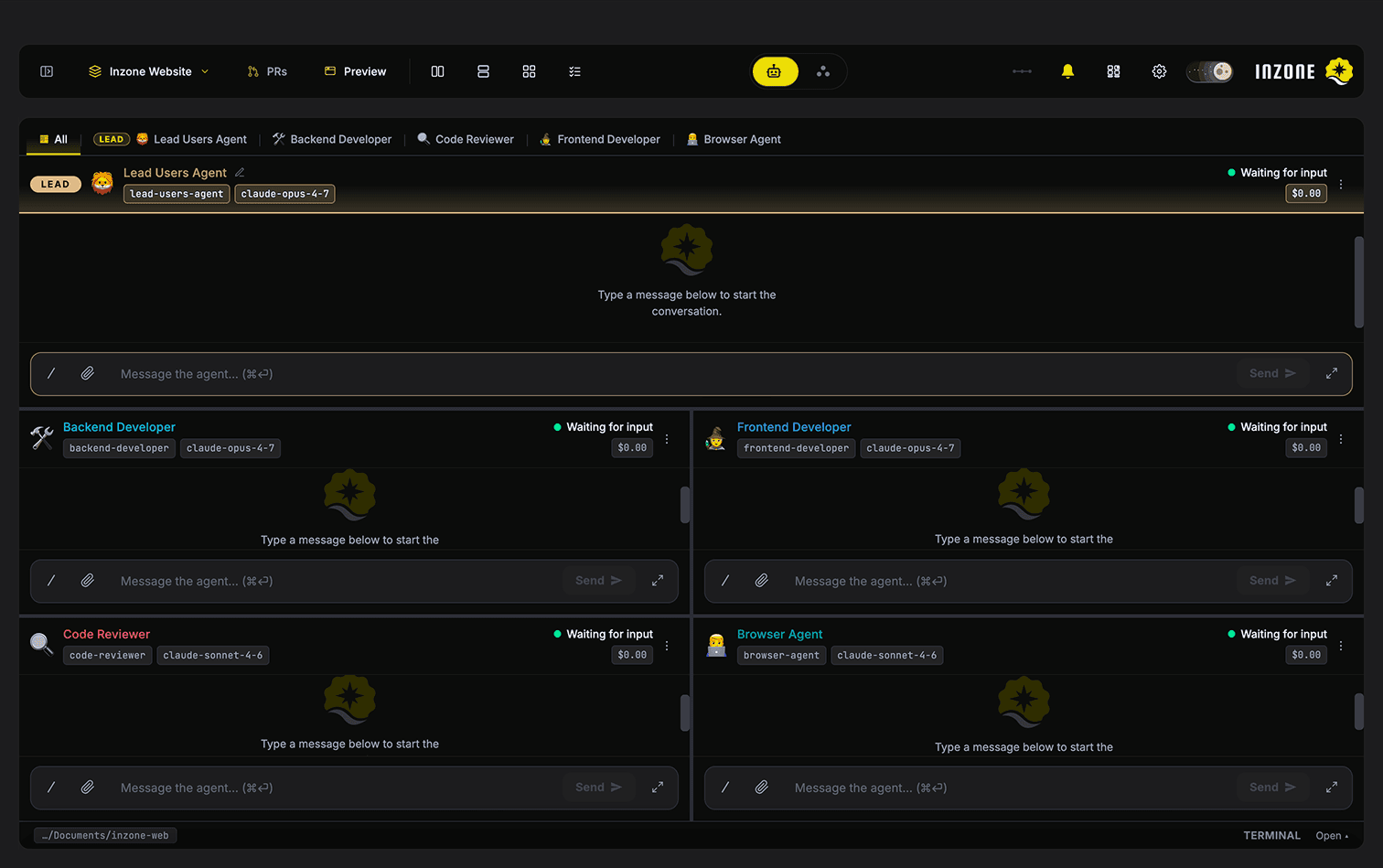
A top-pane Lead Agent delegates tasks to sub-agents below via a built-in messaging protocol. One agent plans, the others execute in parallel.
Chain Agents. Walk Away.
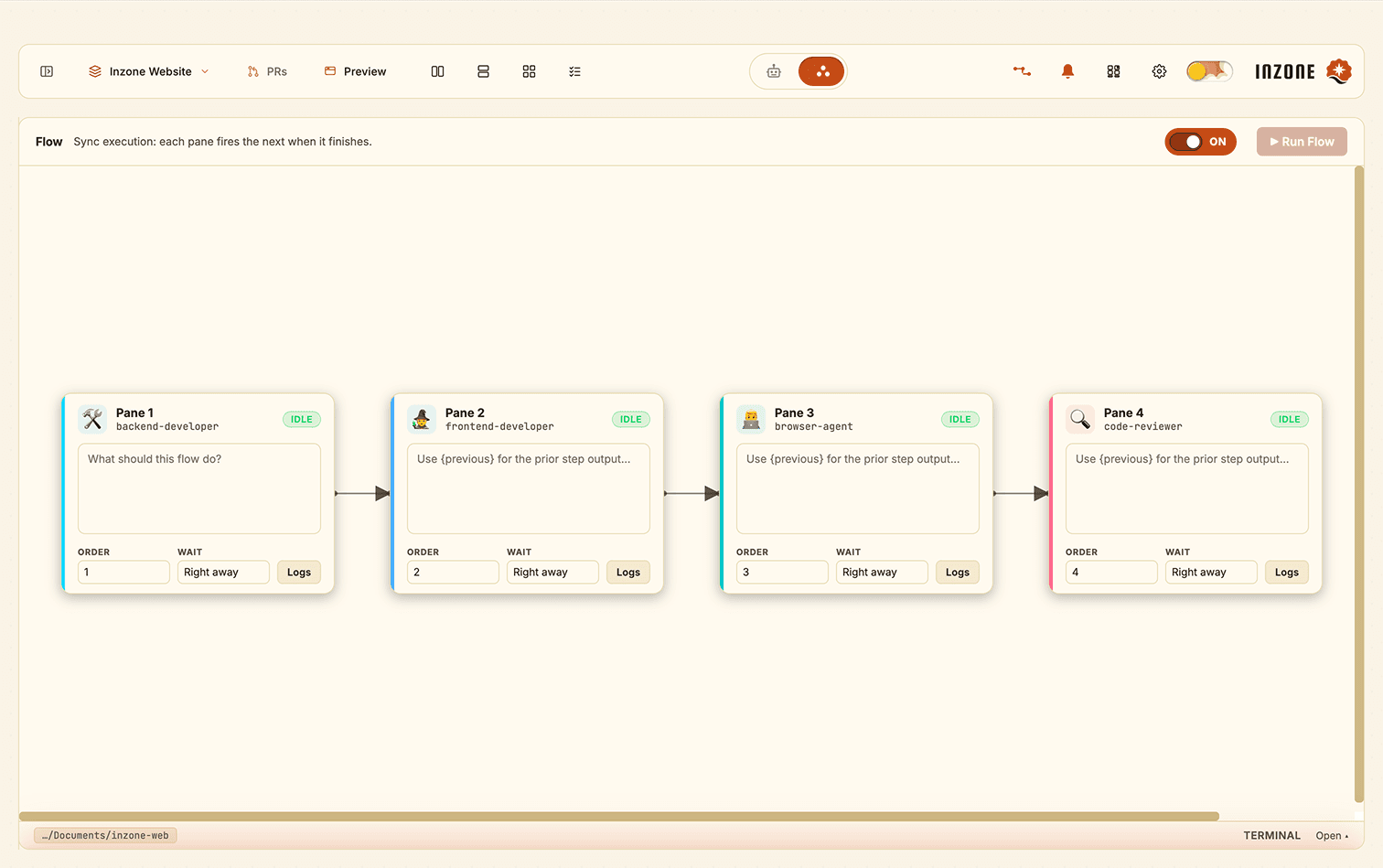
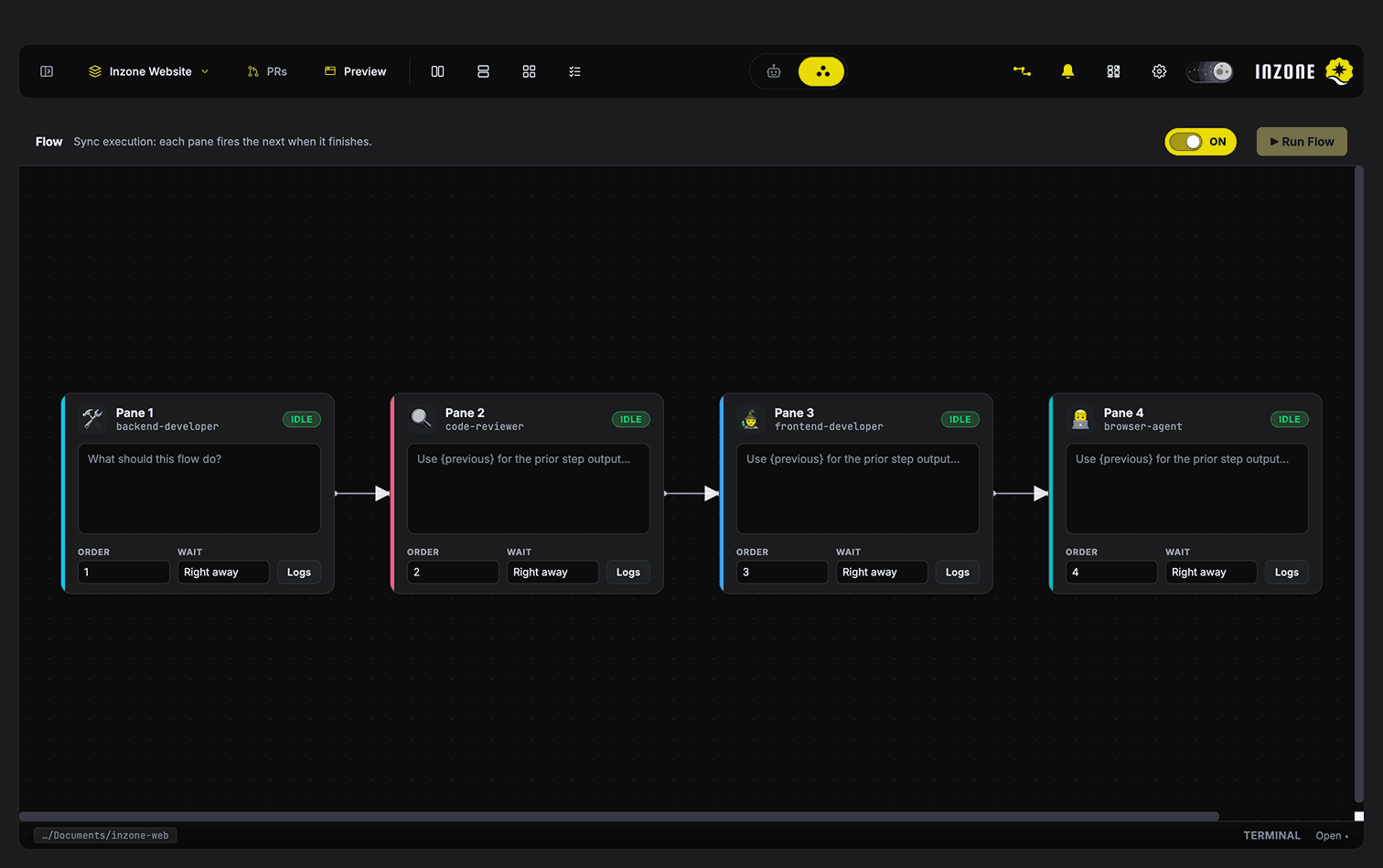
Build sequential agent workflows on a free-form canvas. Outputs flow forward via {previous}. Hit Run — plan, build, review, and ship without touching a keyboard between stages.
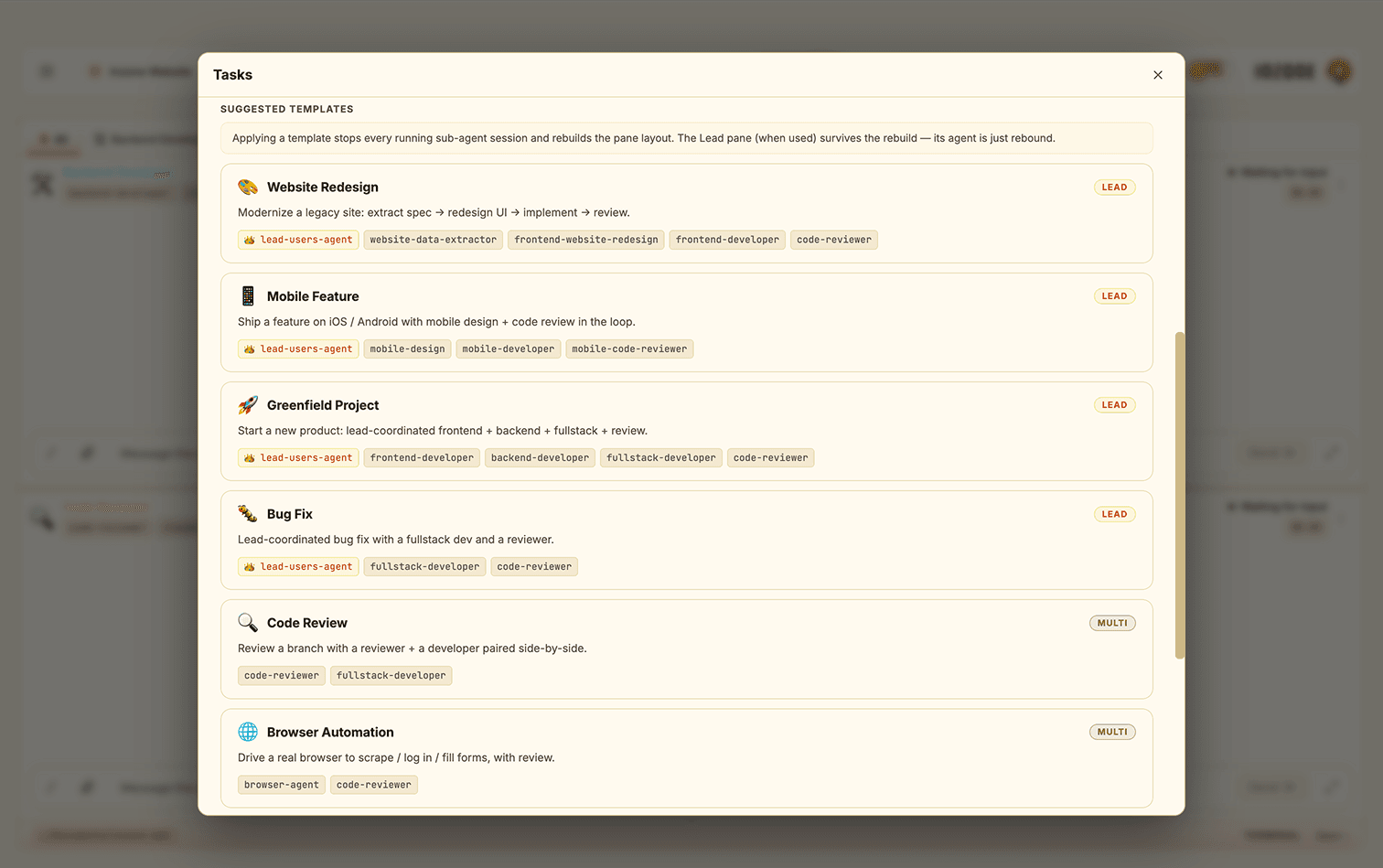
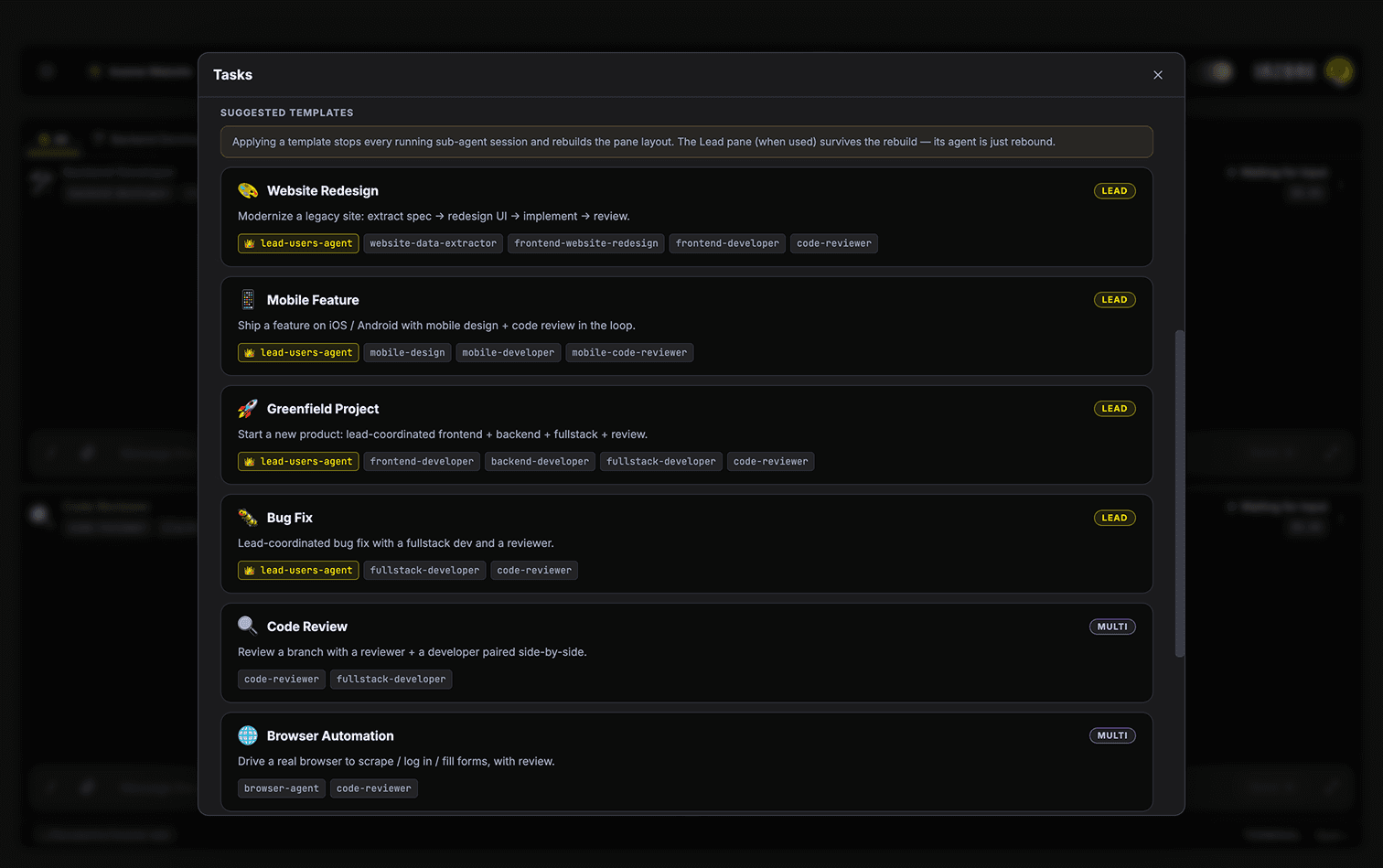
One-Click Workflow Recipes.
Nine pre-wired templates — Bug Fix, Code Review, Greenfield, Mobile Feature, Website Redesign, and more. Run them instantly or save your current session as a custom template.
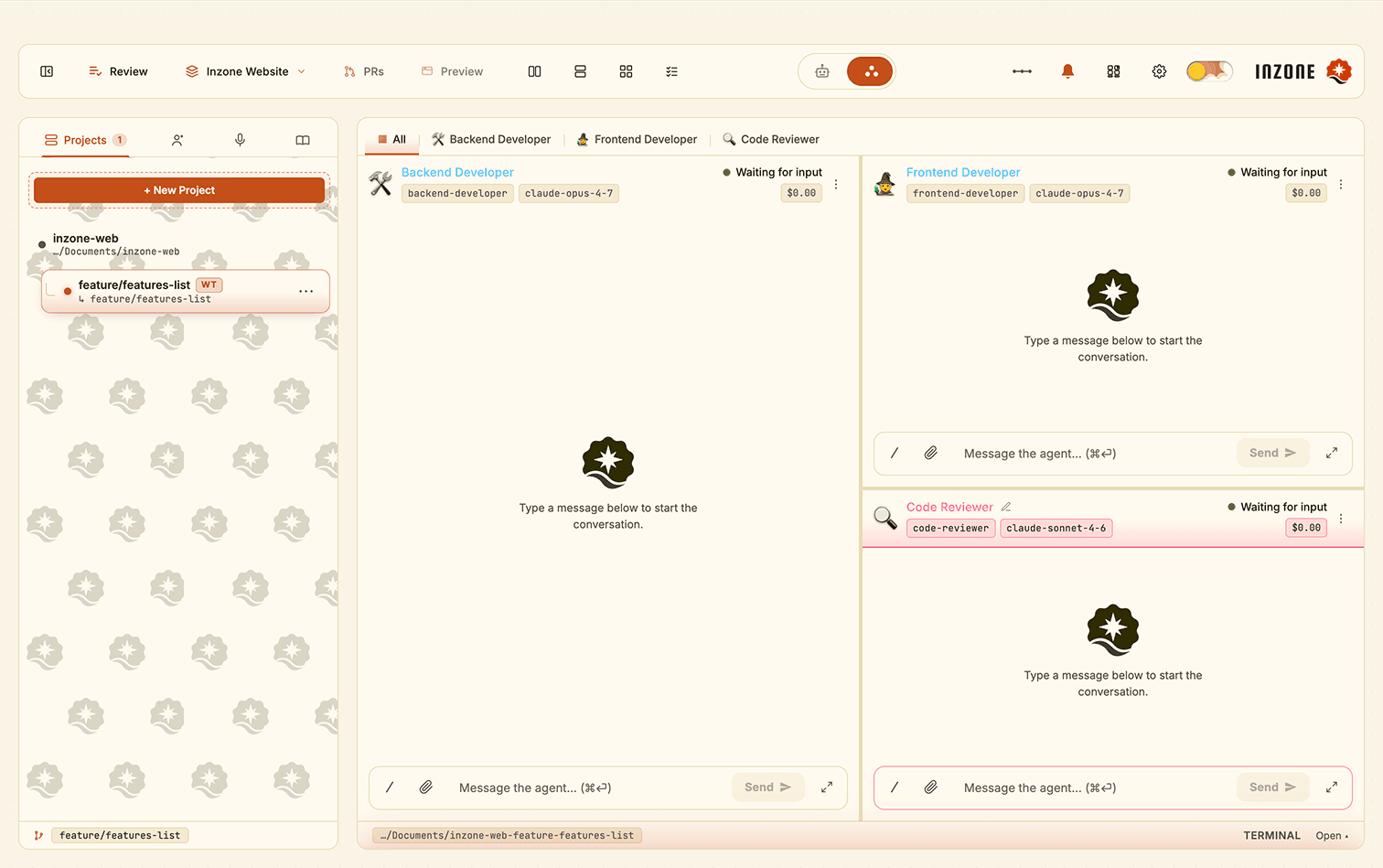
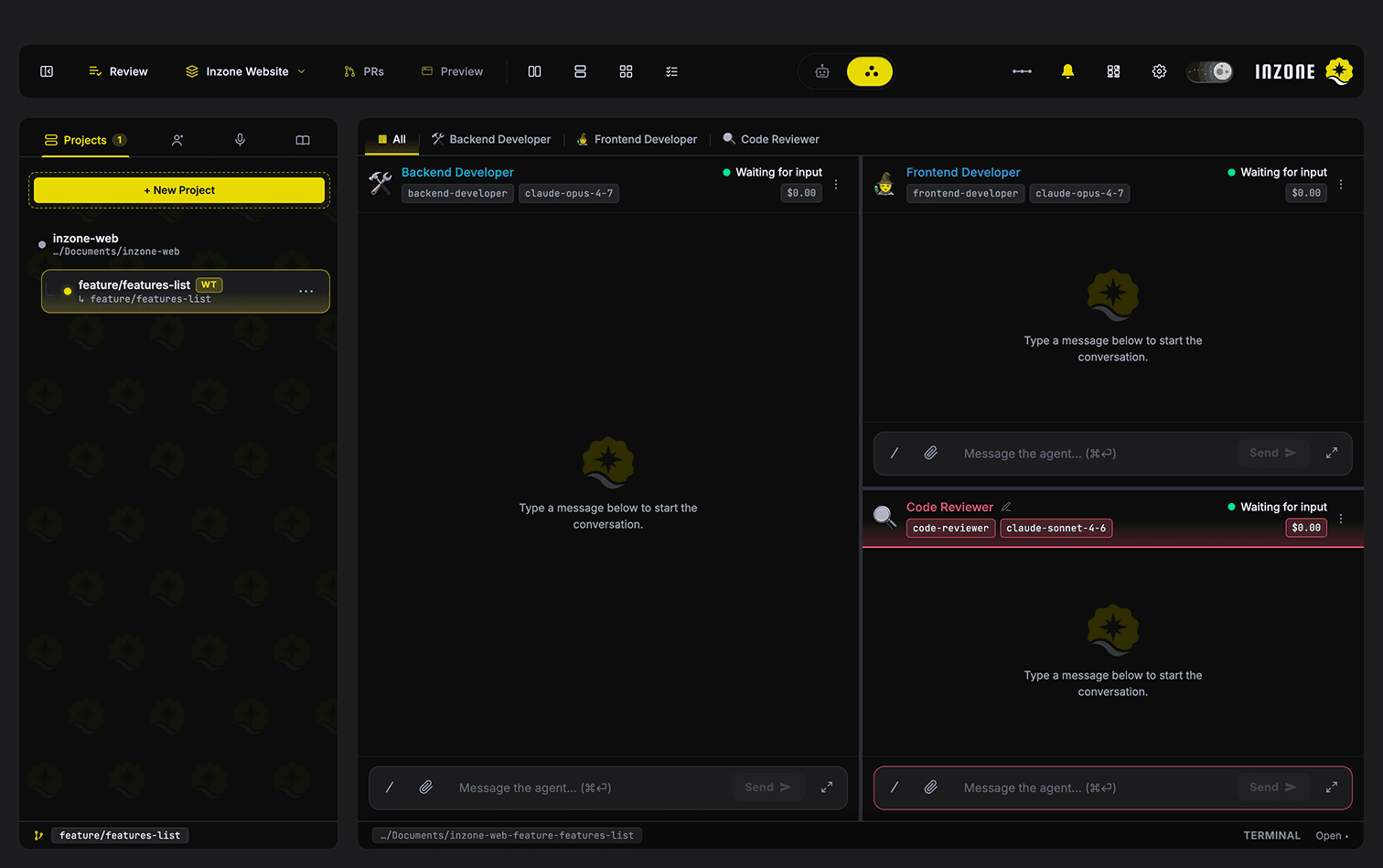
Parallel Branches. Zero Interference.
Spin up a git worktree off any branch from the sidebar. Multiple agents work parallel branches simultaneously without touching each other's work.
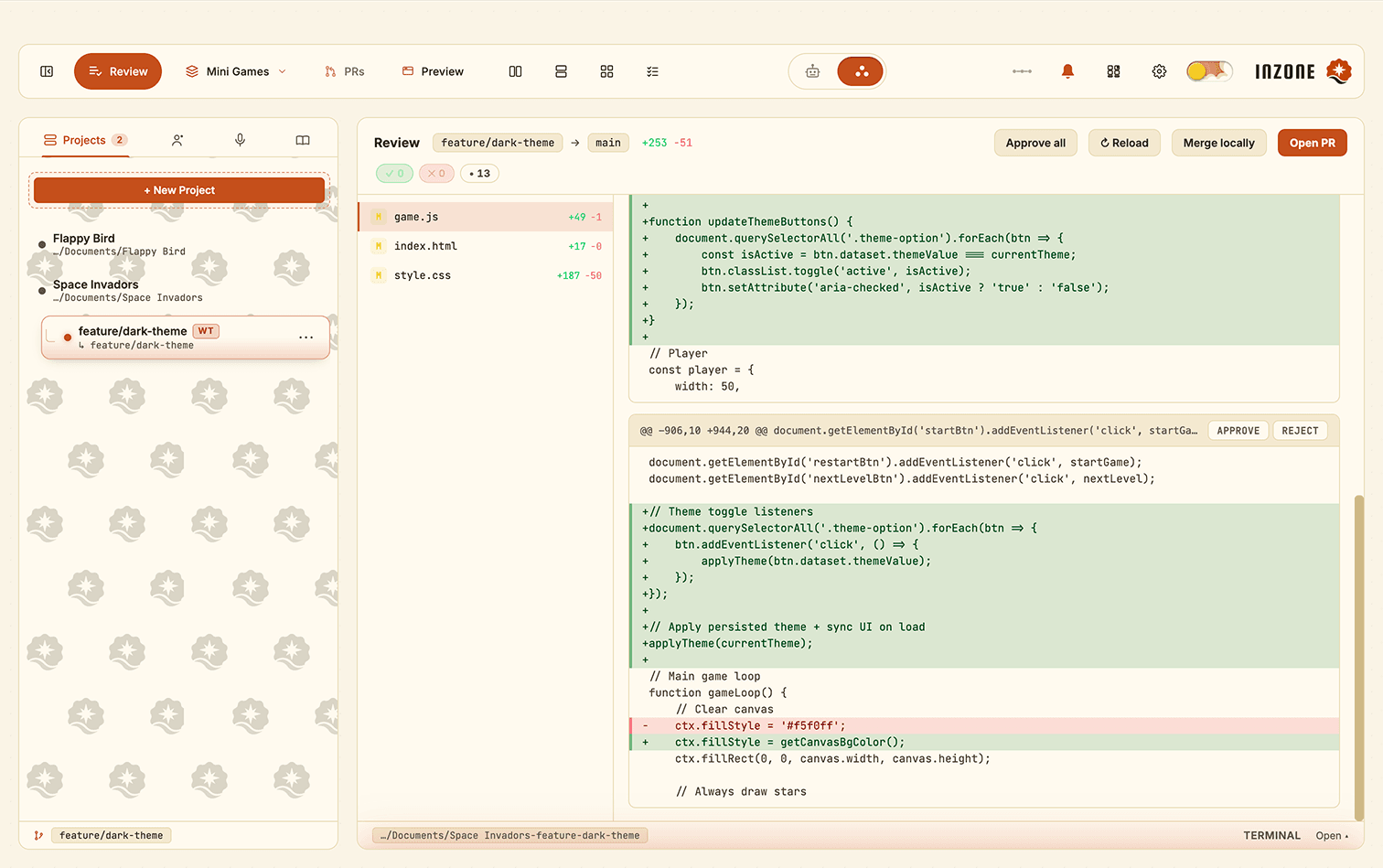
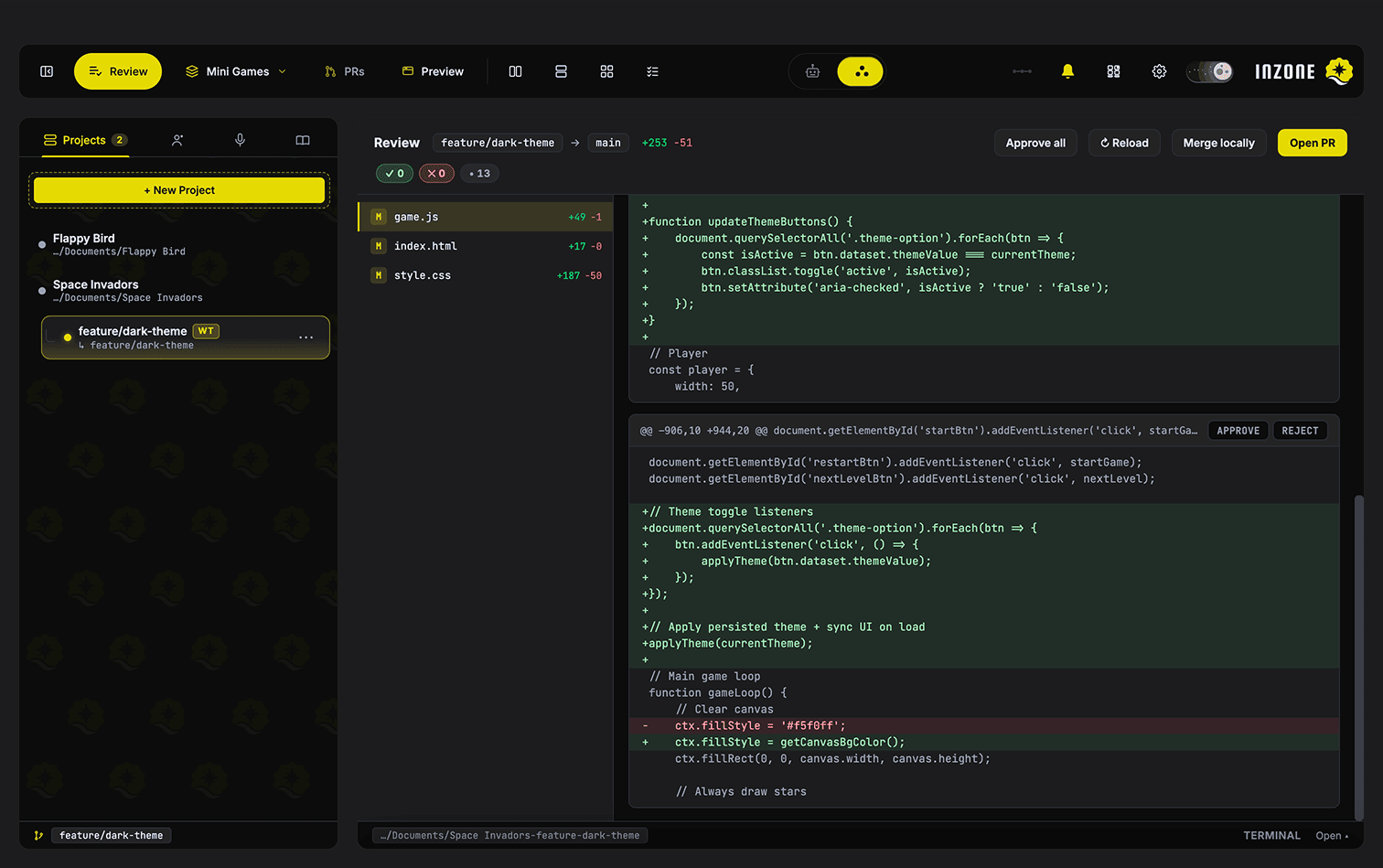
Review, Revise, Ship.
Per-hunk approve/reject with a send-back loop for revisions. AI drafts the PR title and body. One click opens it via gh CLI — full GitHub flow without leaving the app.
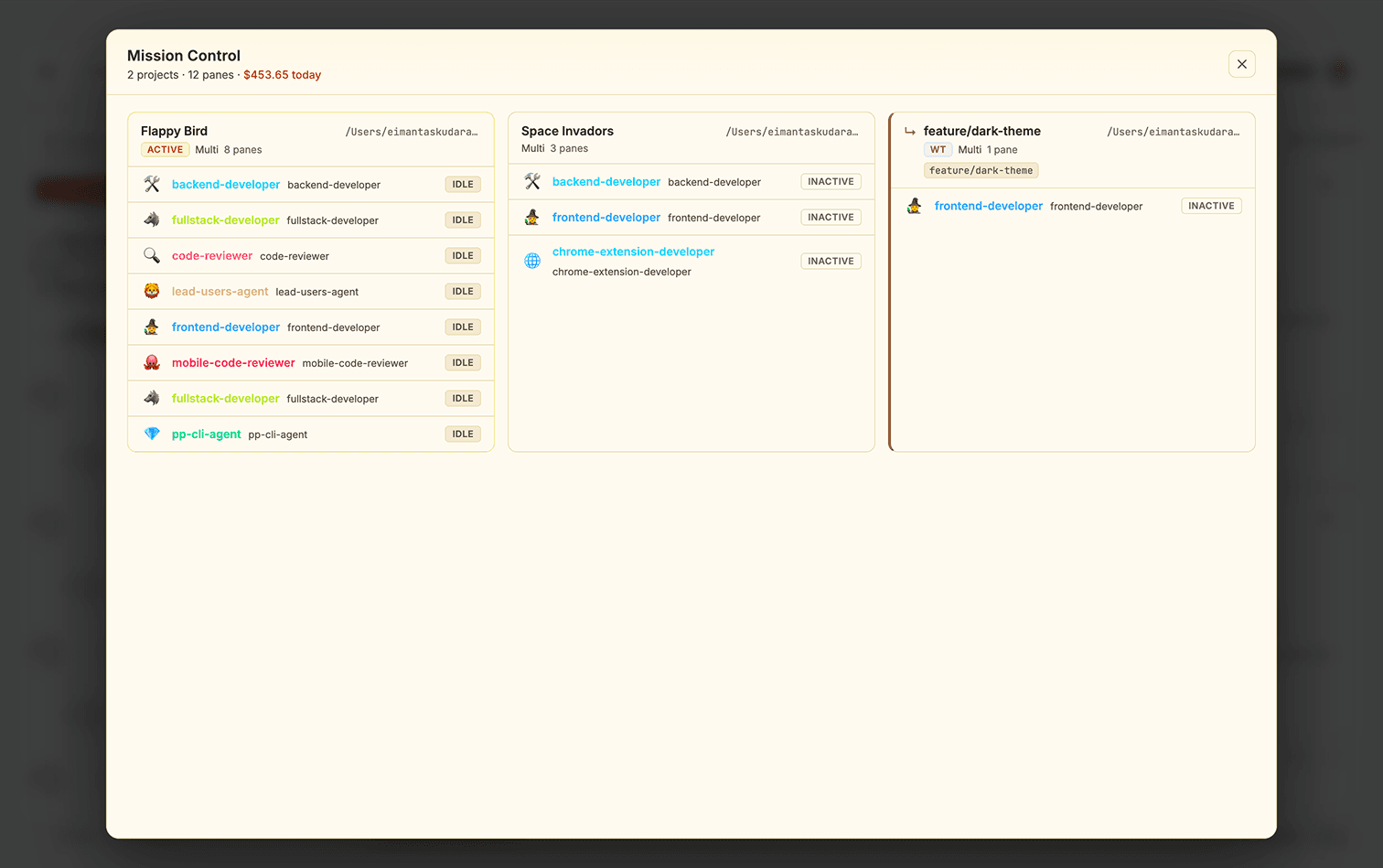
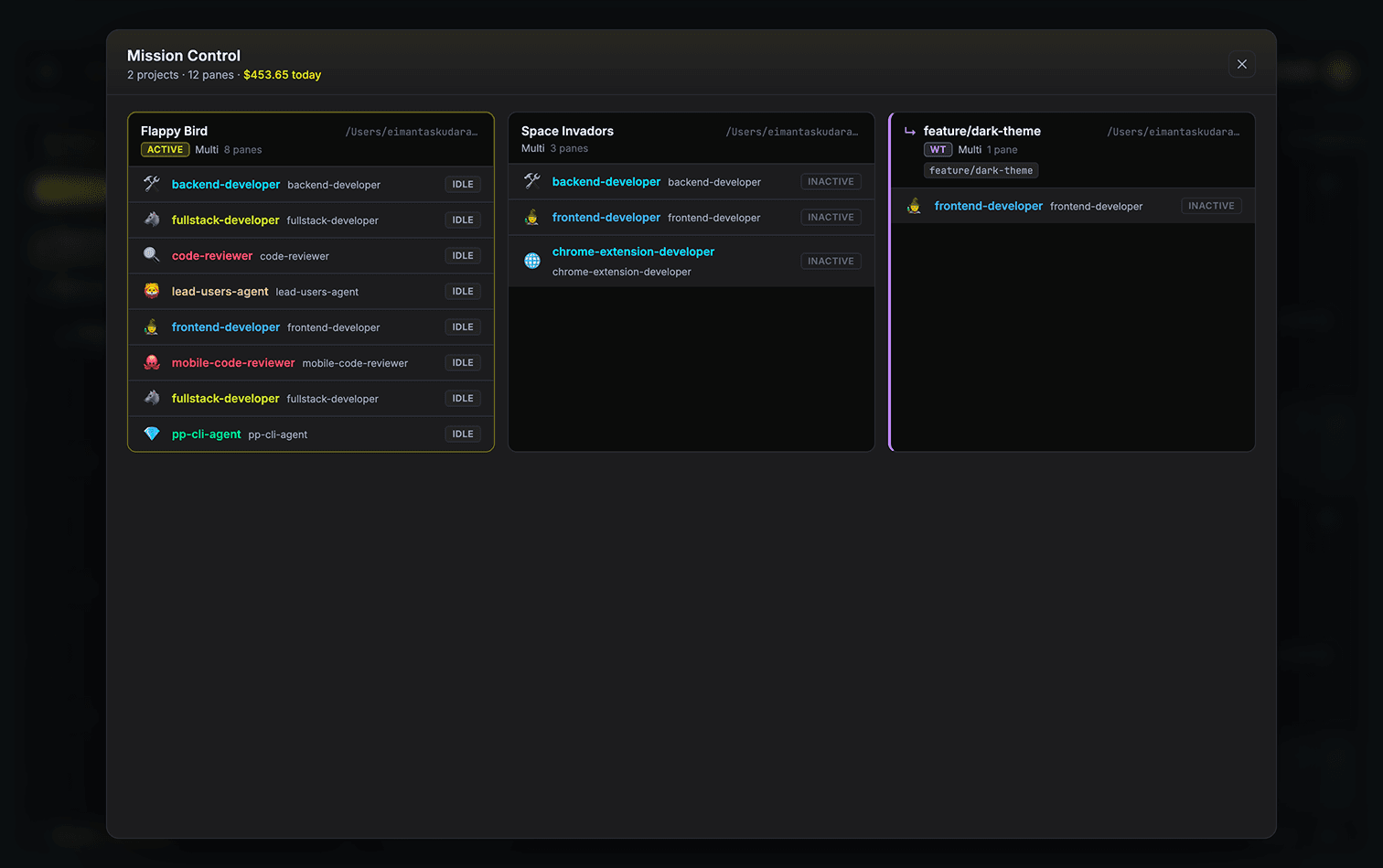
Every Project. One Glance.
⌘⇧M opens a dashboard of every project, every agent. Live status, current tool, per-session cost, and time-since-activity — all in one place.
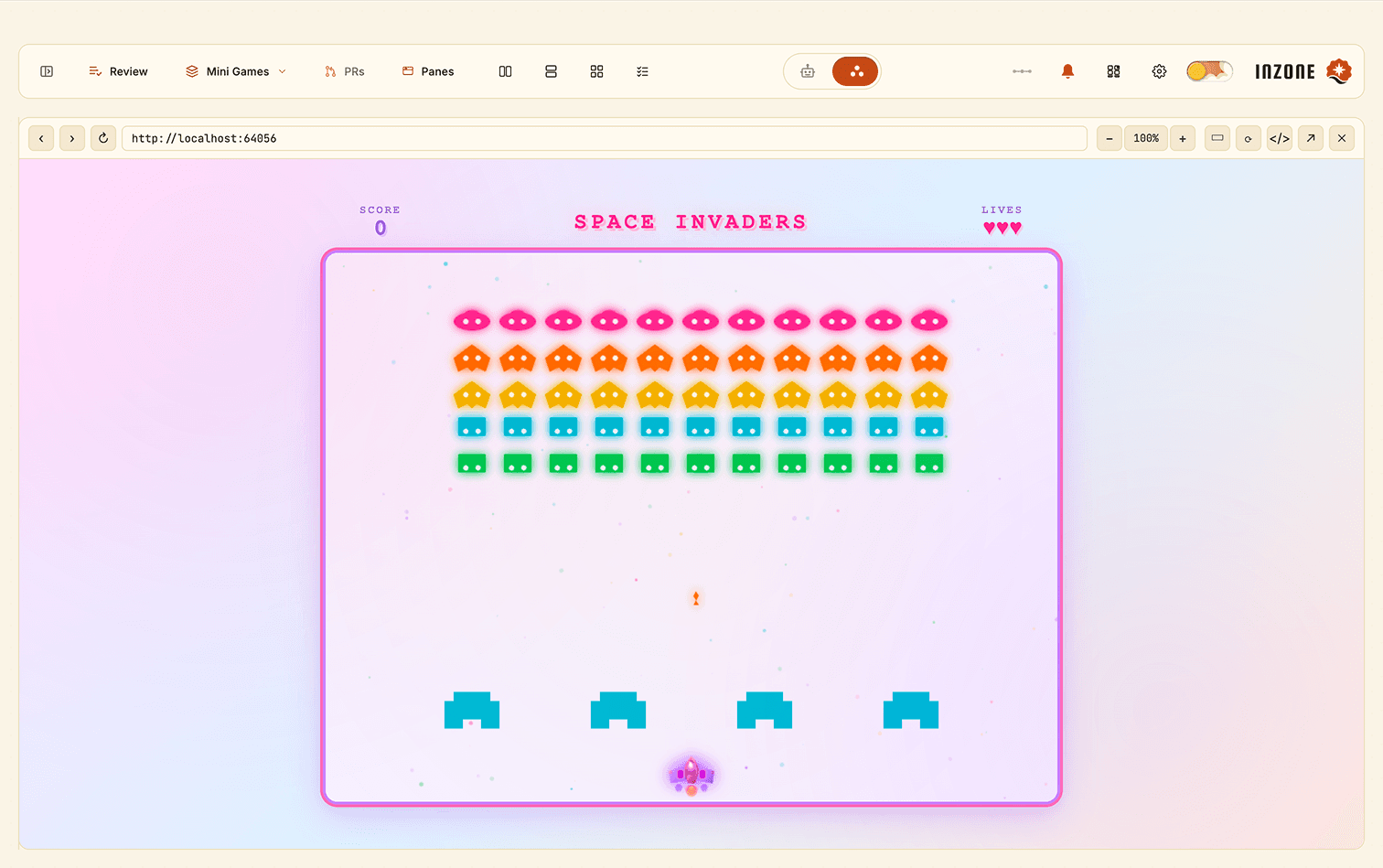
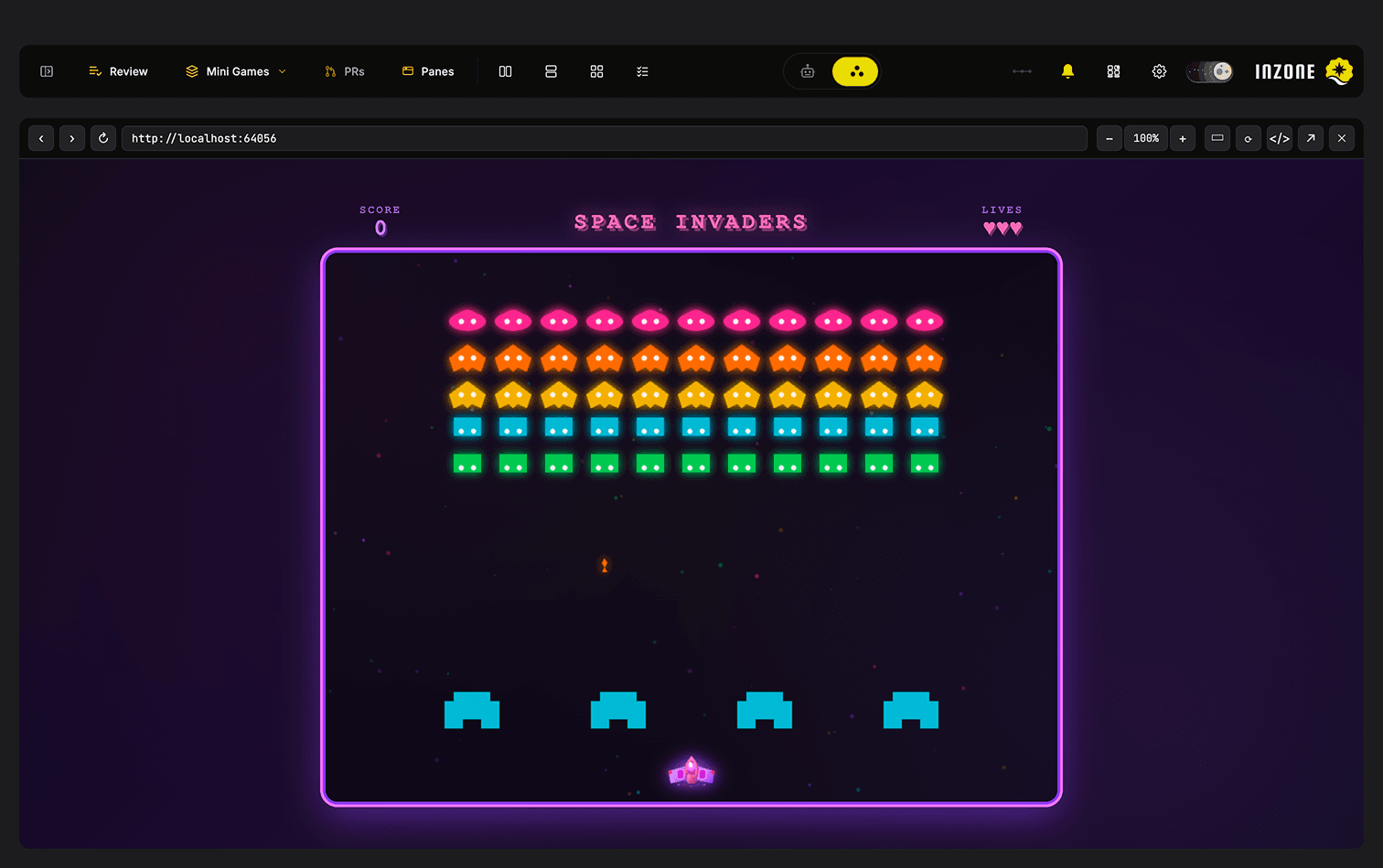
Browser-Grade Preview. Built In.
Inline pane-swap with a real browser toolbar. 375px mobile-viewport simulator, ⌘+/⌘−/⌘0 zoom, reload-on-save via file watcher, inline DevTools, open-externally button. Never leave the app.
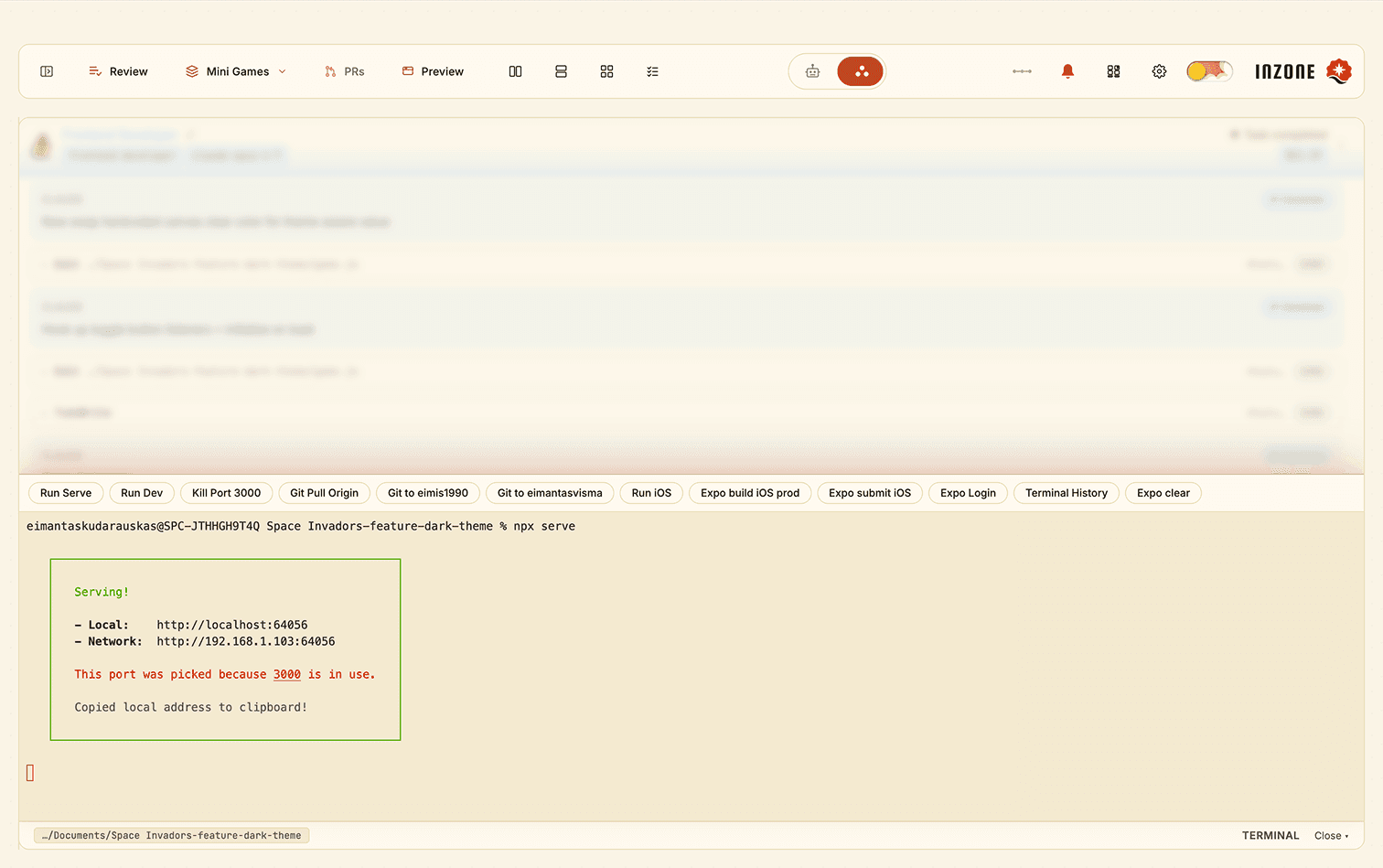
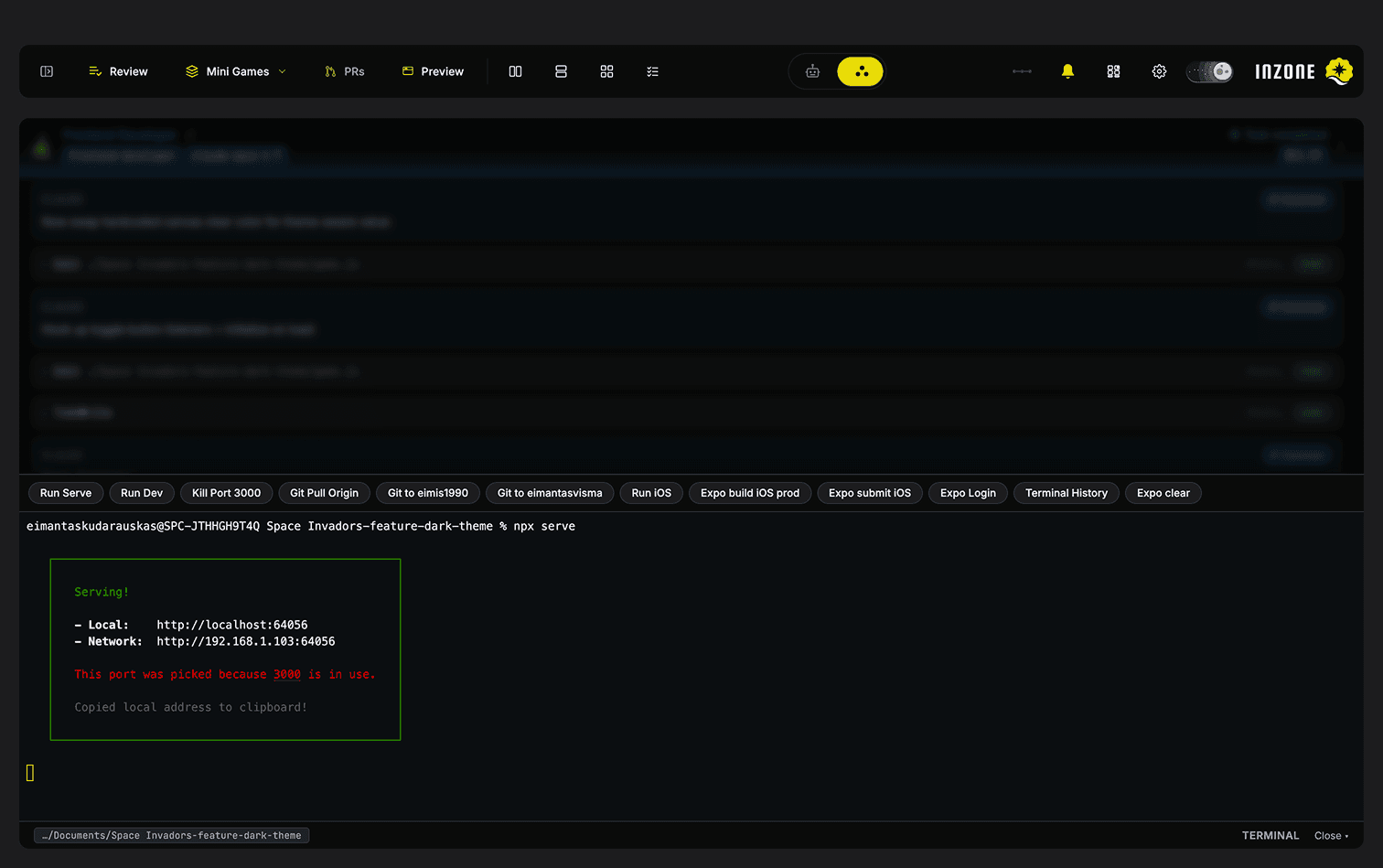
Real Shell. GPU-Accelerated.
Full PTY shell with WebGL-accelerated rendering, custom shortcut buttons, and persistence across panel open/close. Your processes keep running even when the pane is hidden.
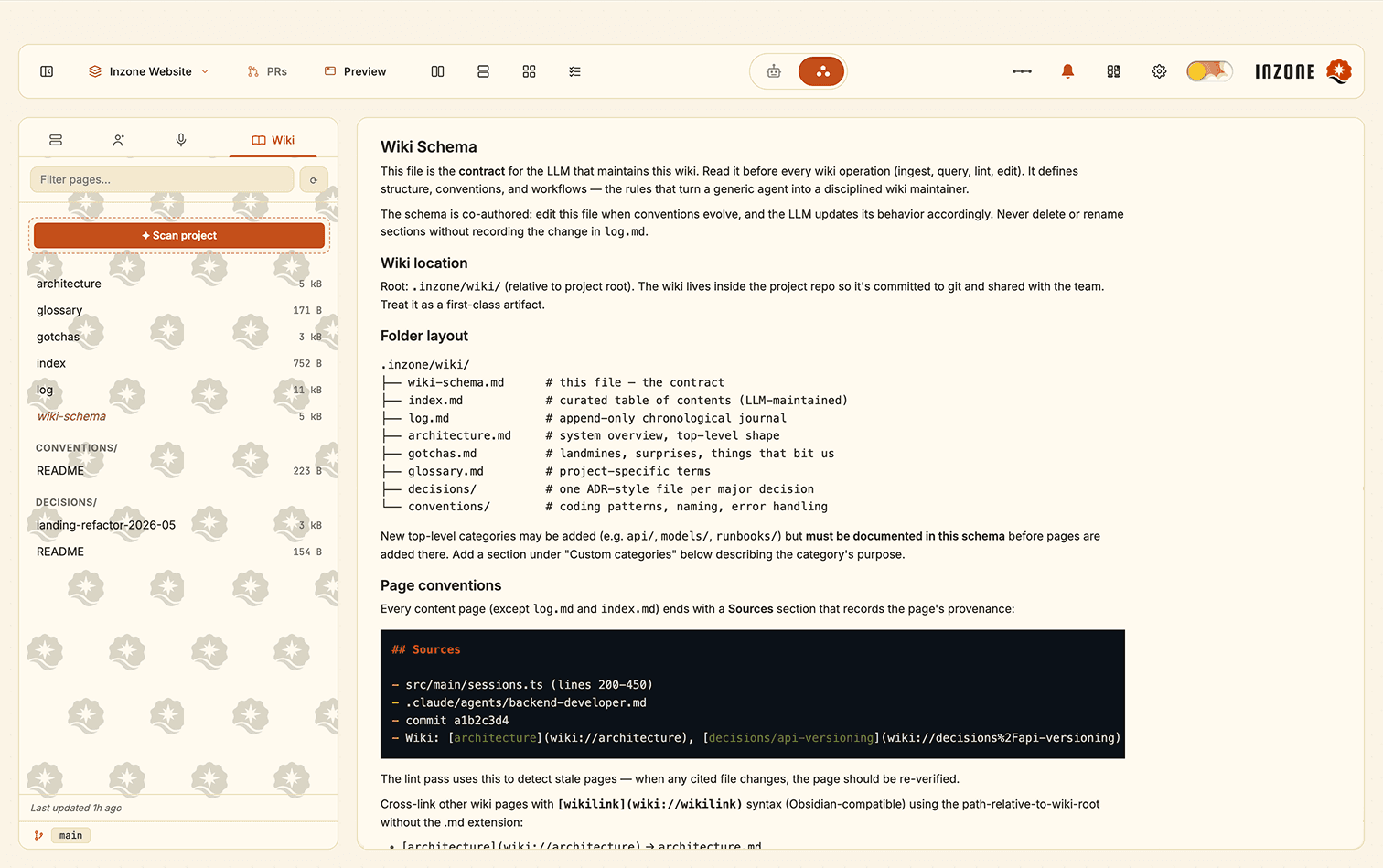
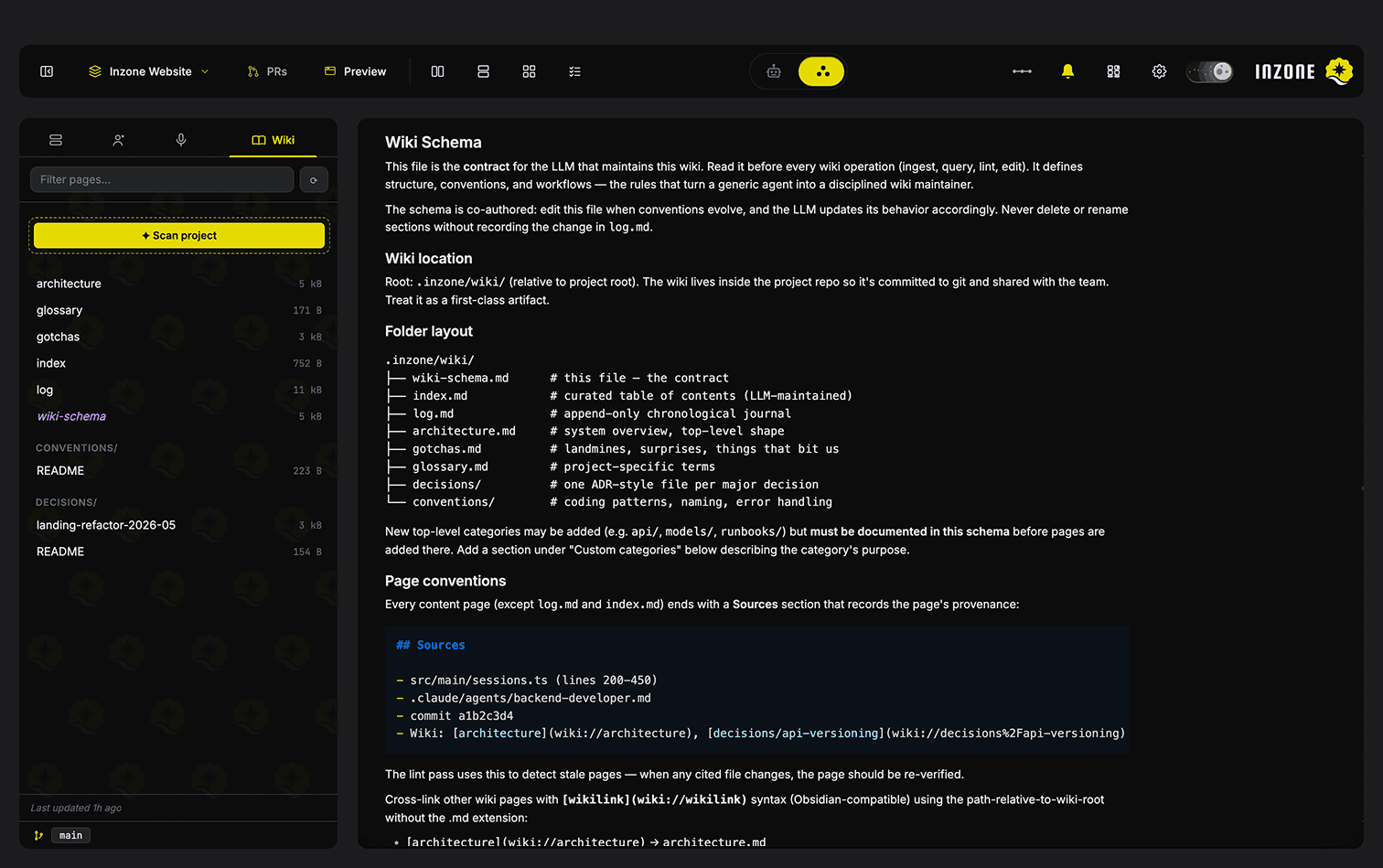
Memory That Stays Current.
Markdown wiki at .inzone/wiki/ that agents read, edit, and cite. The bundled Wiki Protocol auto-injects into every agent prompt — agents are forced to keep it updated after every code-touching task.
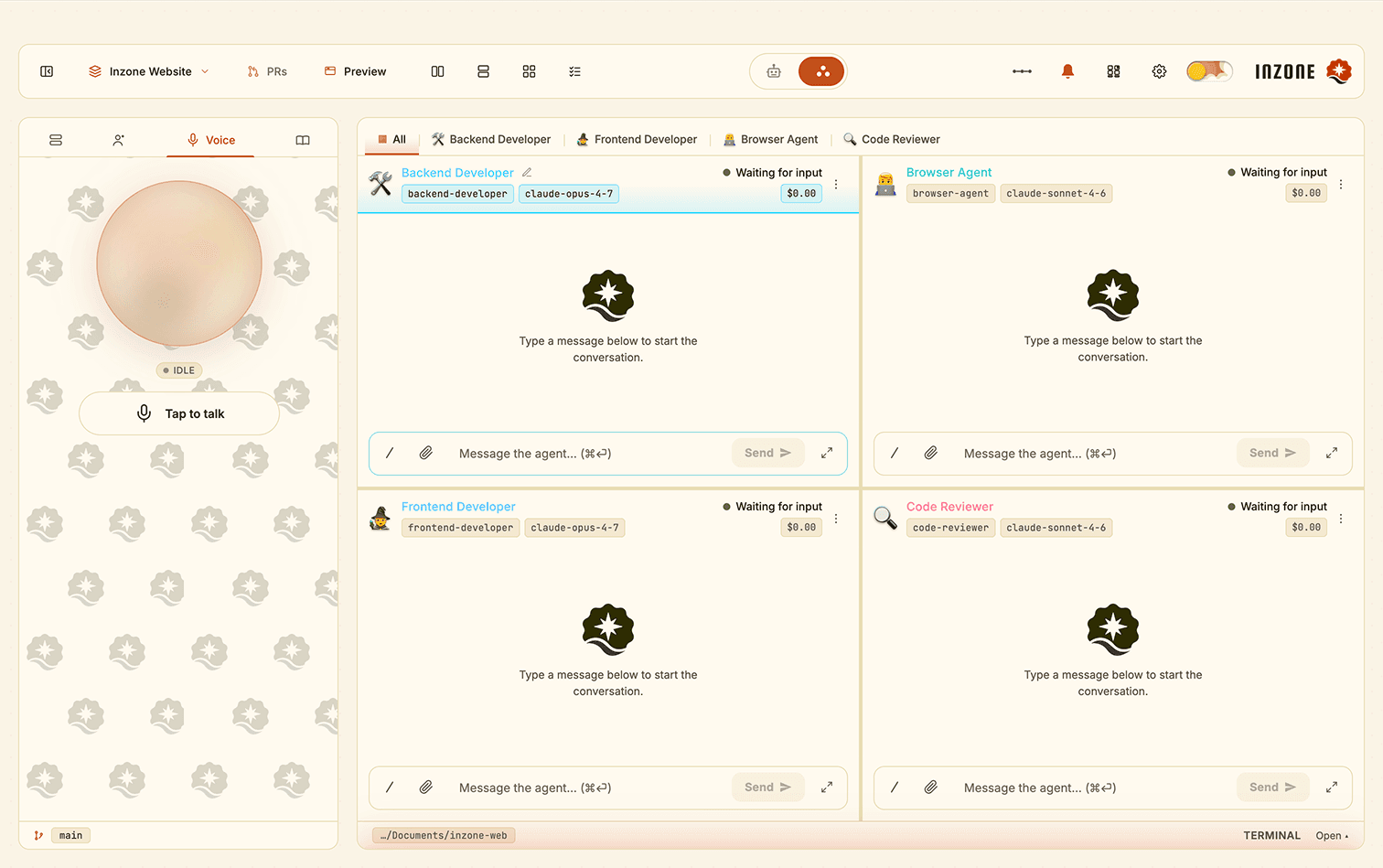
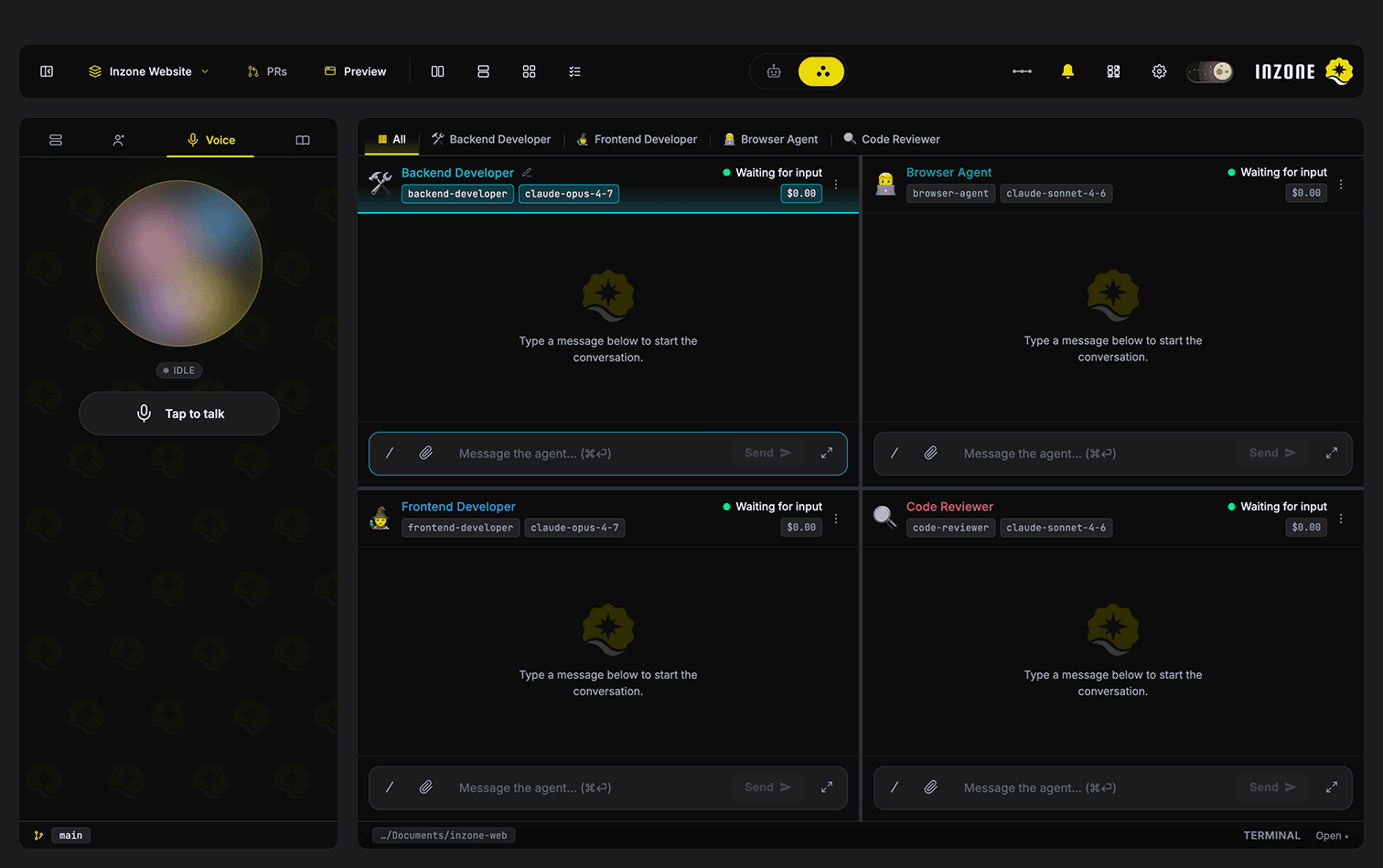
Drive the Fleet by Voice.
Powered by ElevenLabs. Spin up agents, message panes, switch modes, and ask wiki-grounded project questions — all hands-free while your hands stay on the keyboard or away from it entirely.
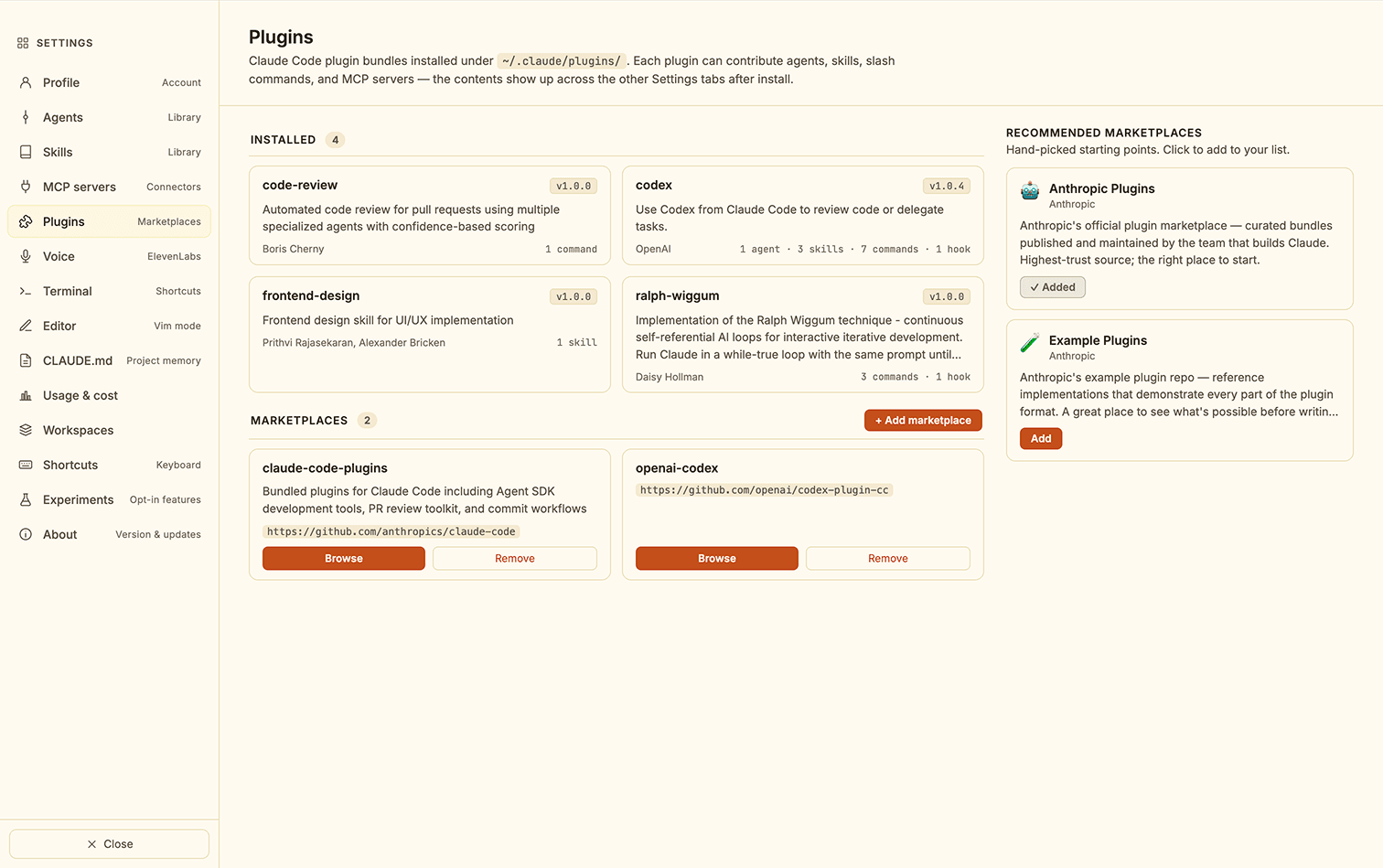
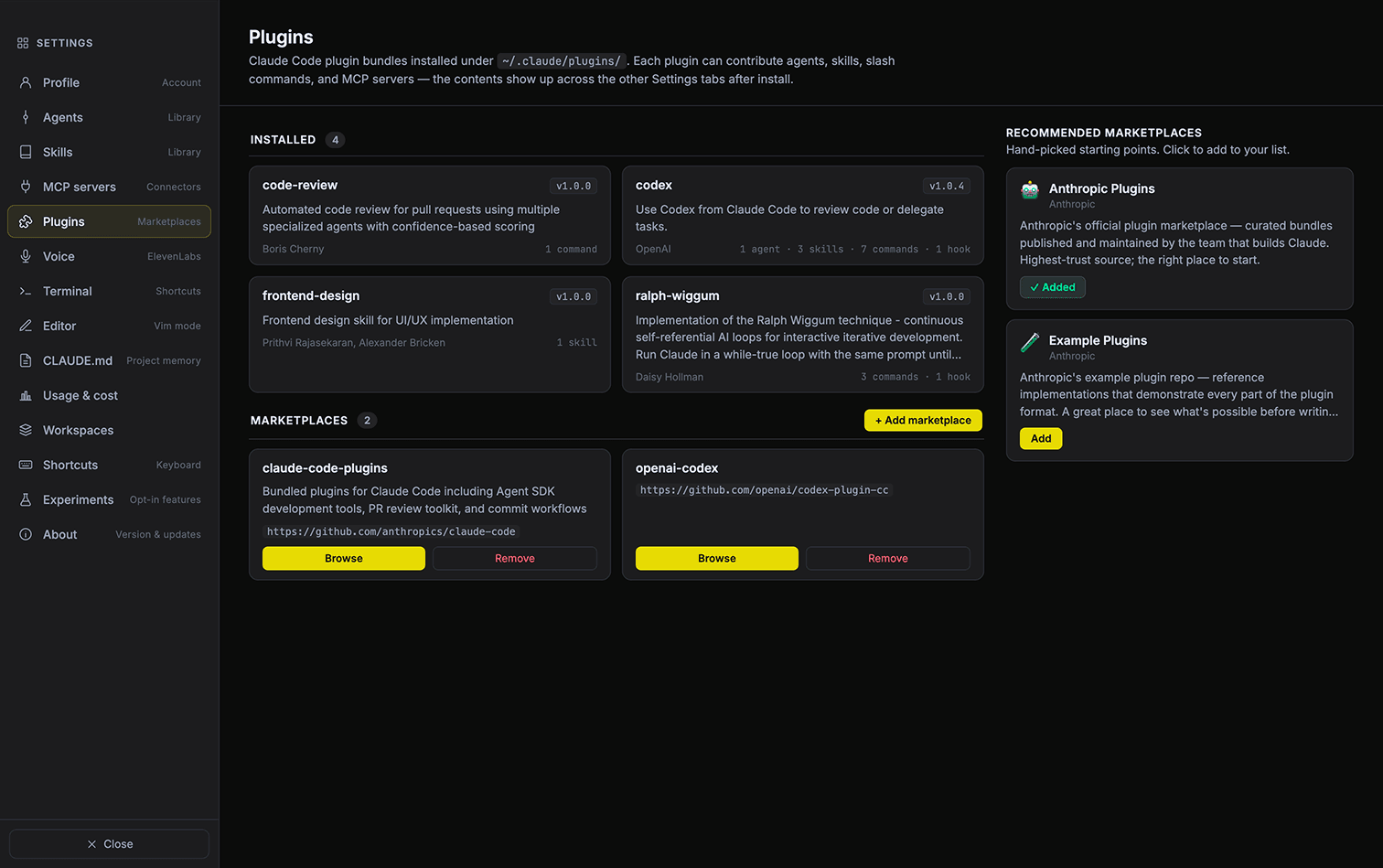
One Shelf. Every Tool.
Browse, install, and toggle Claude Code plugins — agents, skills, commands, MCPs, hooks — from inside the app. Anthropic's official marketplace plus any third-party one, all in one place.
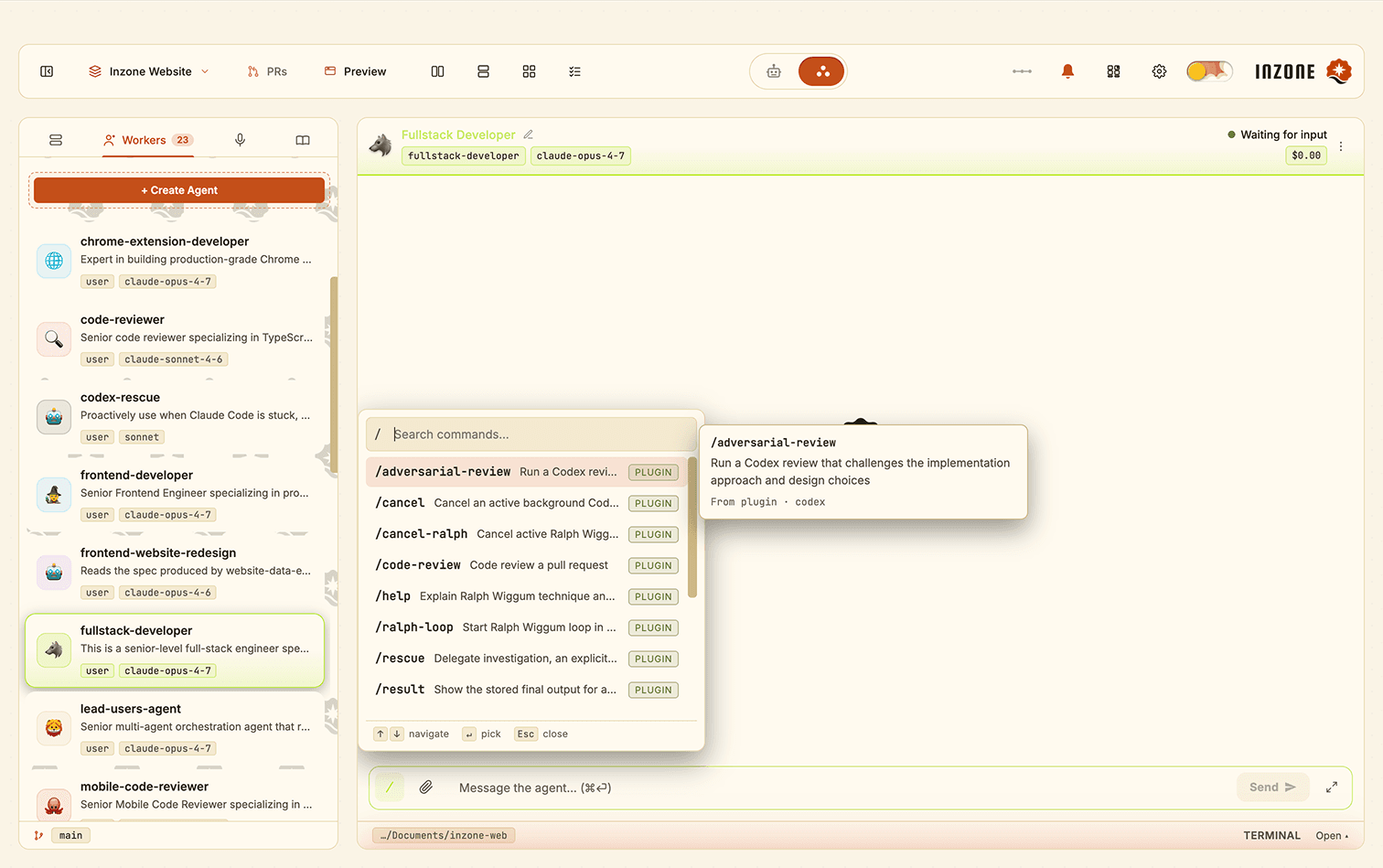
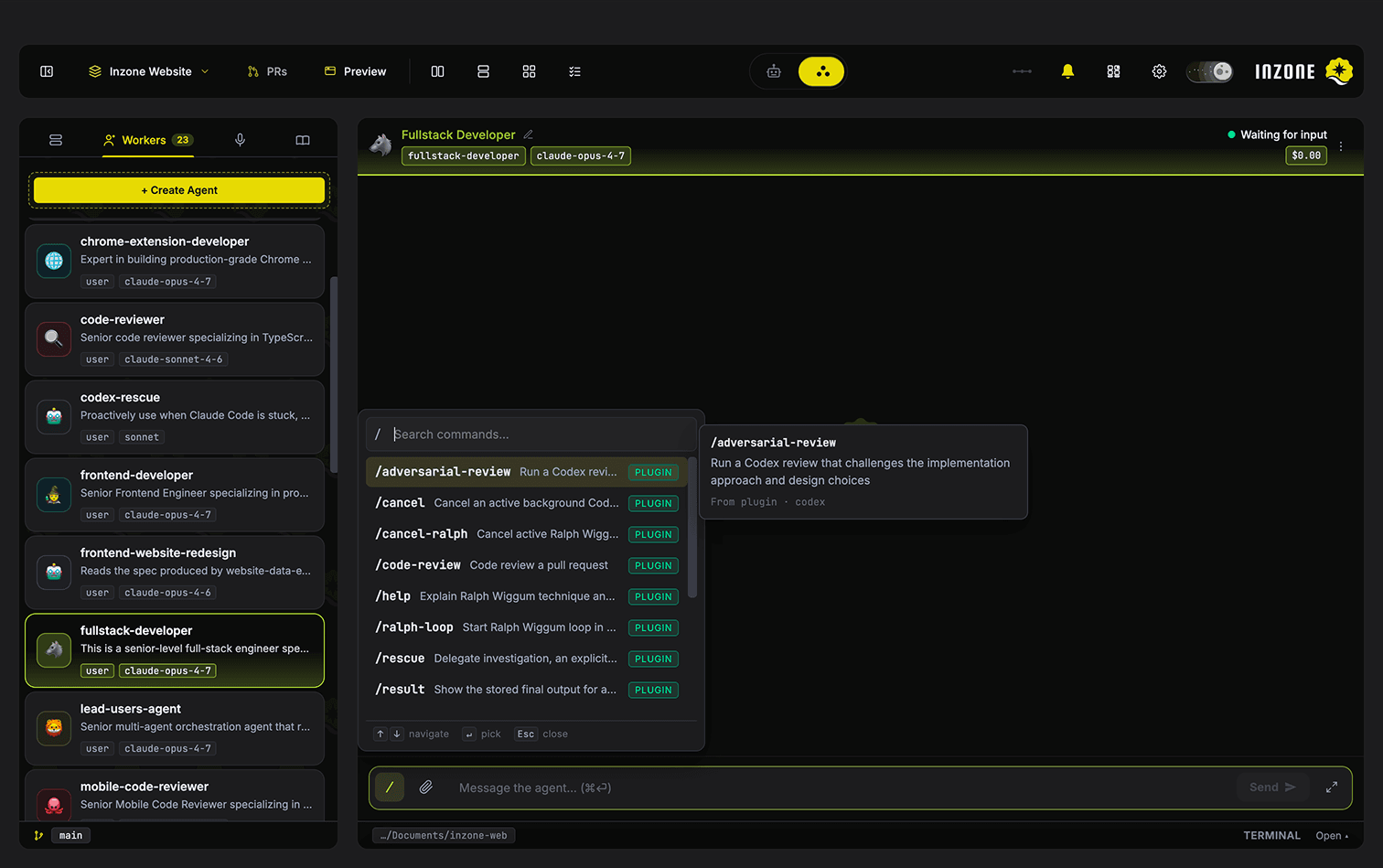
Every Command, Picker-Ready.
/ opens a picker with project + user + plugin + built-in commands — /plan, /think, /review, /explain, /test. Argument templates included. Discover, don't memorise.
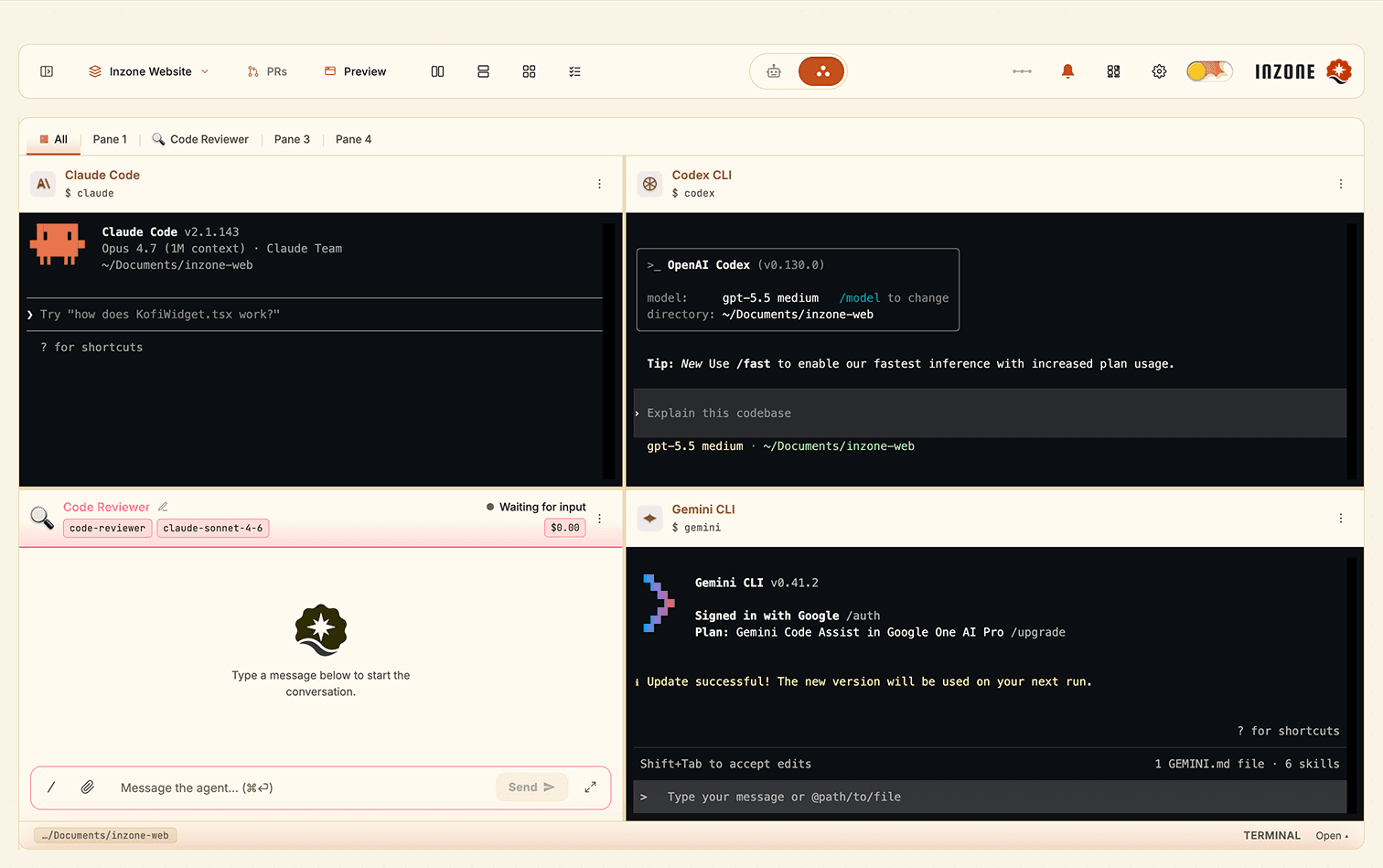
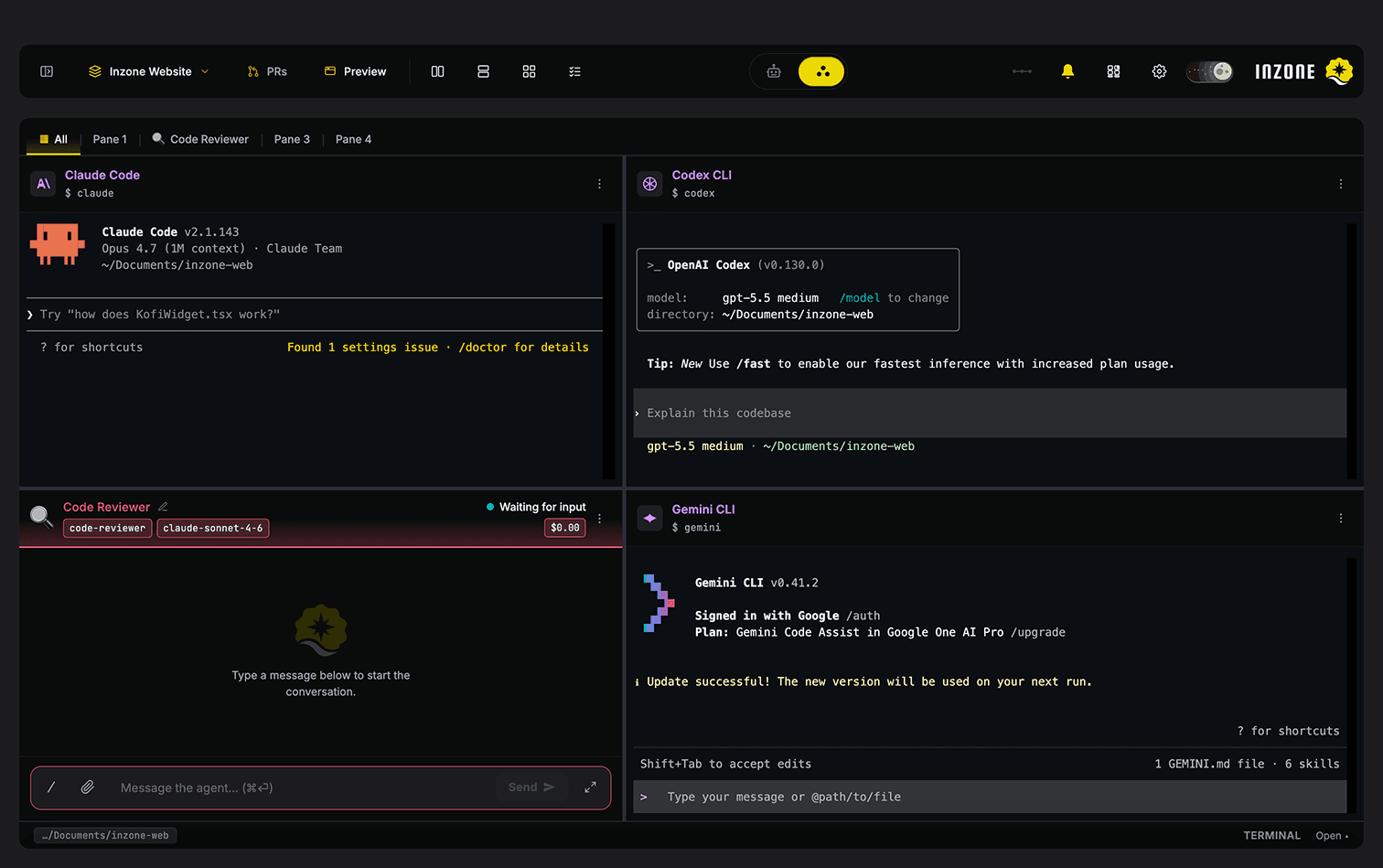
One Shelf. All Tools.
Claude Code, Codex, Aider, Gemini, plain shell — every CLI agent and worker lives on one shared toolbar. Drag-and-drop any tool onto any pane. No menu diving, no per-pane config — just grab and go.
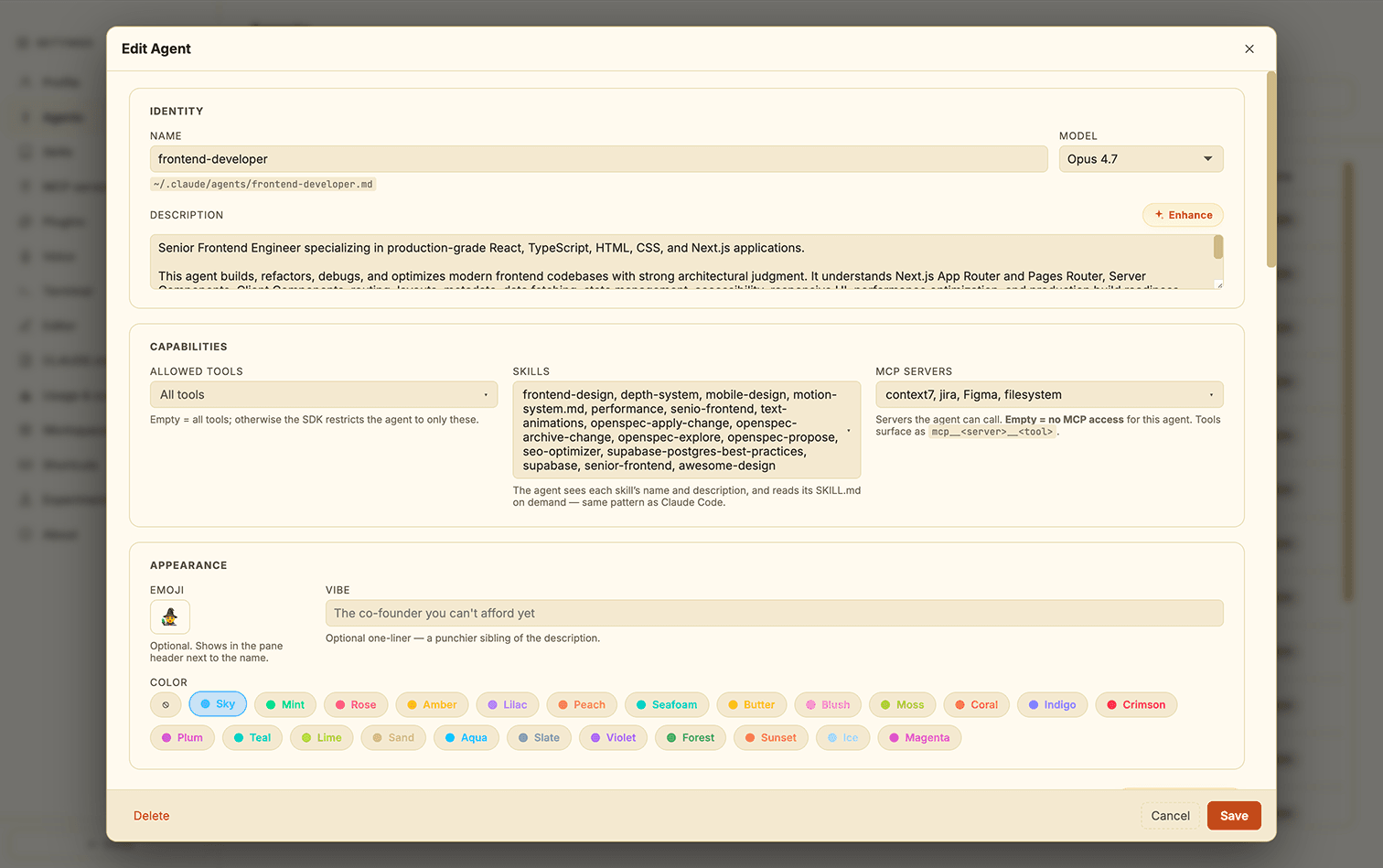
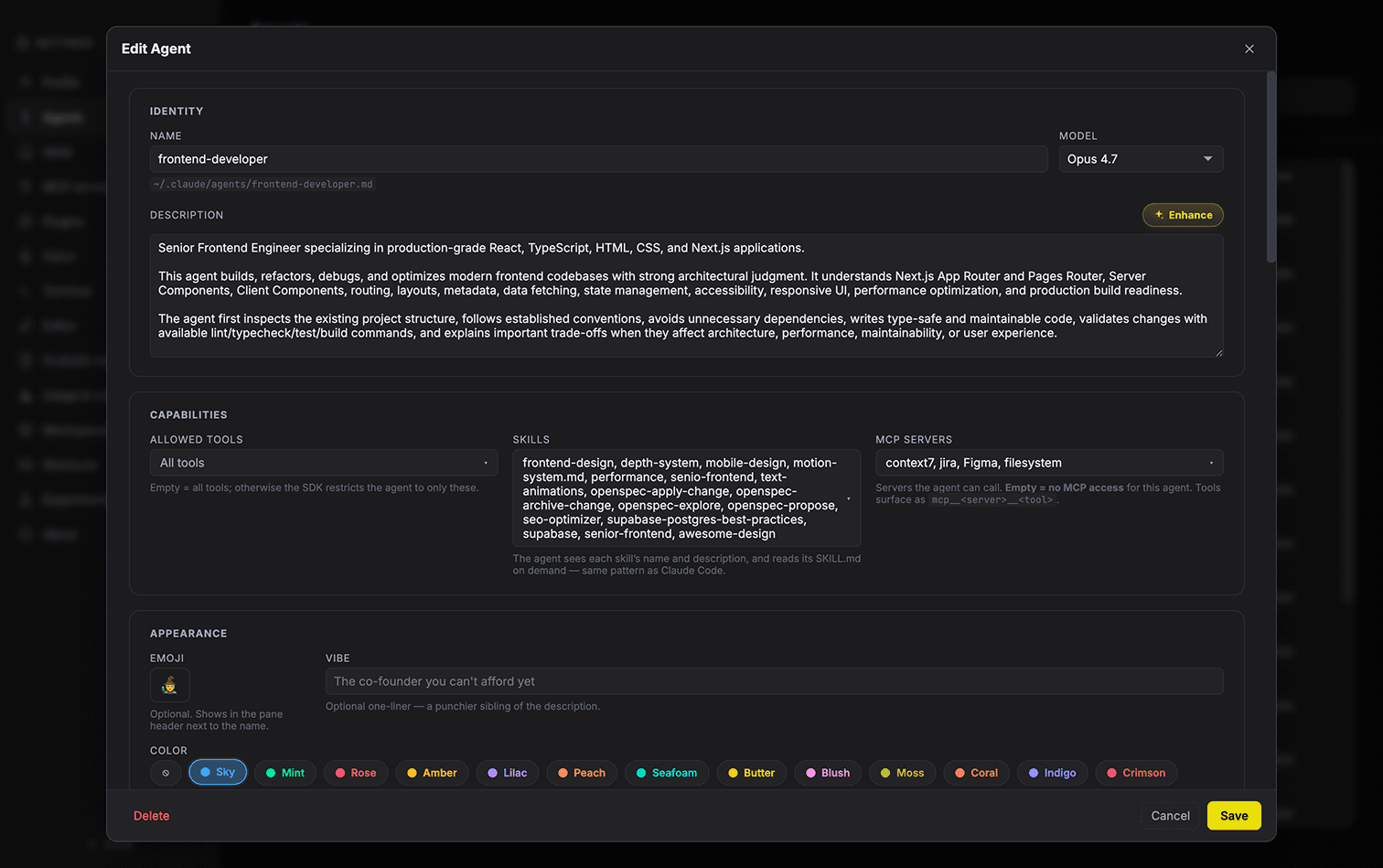
In-App Agent + Skill Editor.
Wide CodeMirror Markdown drawer for editing every agent and skill in place. Per-agent tool, skill, and MCP allowlists. 12-color identity palette. AI-generated system-prompt button. No leaving the app to tweak a prompt.
See Inzone in Action
Built for Power Users
13 One-Click Integrations
Linear, Atlassian, Notion, Stripe, Brave, Playwright — OAuth via local callback. Per-agent opt-in. Tokens encrypted in the macOS keychain.
Instant 1–10 Pane Grids
One-click 1/2/4/6/8/10-pane layouts. Save and restore custom shapes. Switch without losing pane state.
Multi-Project Workspaces
Group related projects; switch the whole context with one click. Inactive projects keep streaming in the background.
Fullscreen Any Pane
⌘F fullscreens the active pane. Others stay alive invisibly and keep working.
Per-project + Global Memory
Memory files injected into every agent's system prompt. Scope picker lets you control what each agent sees.
One-Click Skill Installs
VoltAgent Awesome Design, Printing Press, Slack, Linear, Stripe, Notion, Figma, Firecrawl, and more. Setup guides for keys-required skills.
Your Machine. Your Data.
Transcripts, agent definitions, MCP configs, OAuth tokens, voice settings — all local. Only outbound: Anthropic, optional ElevenLabs, and MCPs you add.
Live Per-Pane Cost Counters
Real-time per-pane, per-project, and global cost. Settings → Usage breaks totals down by day, agent, and model.
AskUserQuestion
Agents render structured multi-choice forms to you instead of guessing or rambling in prose.
Caveman Mode™
~65–75% fewer natural-language tokens in assistant replies. Code, paths, and identifiers preserved verbatim. Good for your bill.
Light & Dark Themes
Warm paper-and-ink light. Deep slate + amber dark. Live toggle in the workspace bar.
Modal Editing Everywhere
Settings → Editor enables Vim keybindings across every CodeMirror surface — composer, wiki, CLAUDE.md, MCP JSON. Synced across windows.
Drop, Paste, or Attach
PNG/JPEG/WEBP/GIF in the composer. Vision-capable models see them as part of the user turn.
Shortcuts, Scroll, Collapse
Settings → Shortcuts reference with platform-aware glyphs. Auto-scroll pin with Jump to Latest pill. Collapsing tool-call rows.
Claude Code Config Just Works
Reads ~/.claude/agents/, skills, .claude.json, .mcp.json, project CLAUDE.md, and plugin install state — everything you've already set up keeps working.
Why Not Just Use Claude Code?
| Feature | INZONE | Claude Code | Cursor |
|---|---|---|---|
| Multi-pane agent workspace | |||
| Lead mode orchestration | |||
| Visual flow pipelines | |||
| Project Wiki + Protocol | |||
| Hands-free voice commands | |||
| Multi-project workspaces | |||
| Live cost telemetry | |||
| Built-in preview + DevTools |
Design Philosophy
"We don't need simply more chatbots. We need environments that orchestrate them.
Process, structure, and parallel paths over raw inference."
INZONE Architecture
Initialize Your Flow
Deploy INZONE globally and start orchestrating sequential agent environments right from your CLI in minutes.
Ready to orchestrate?
Join the alpha. Start running multi-agent workflows out of the box and stop babysitting your processes.